Components
Components, User Interface, Configuration options ..
Components
Understanding the architecture and components of Pentaho Data Integration (PDI) is fundamental to becoming an effective Pentaho developer and administrator. This section will familiarize you with the building blocks that make up the Pentaho Data Integration ecosystem and how they work together to deliver enterprise-grade data integration capabilities.
What You'll Learn
Pentaho Data Integration operates on a client-server architecture that separates design-time activities from runtime execution and administration. In this section, you'll explore:
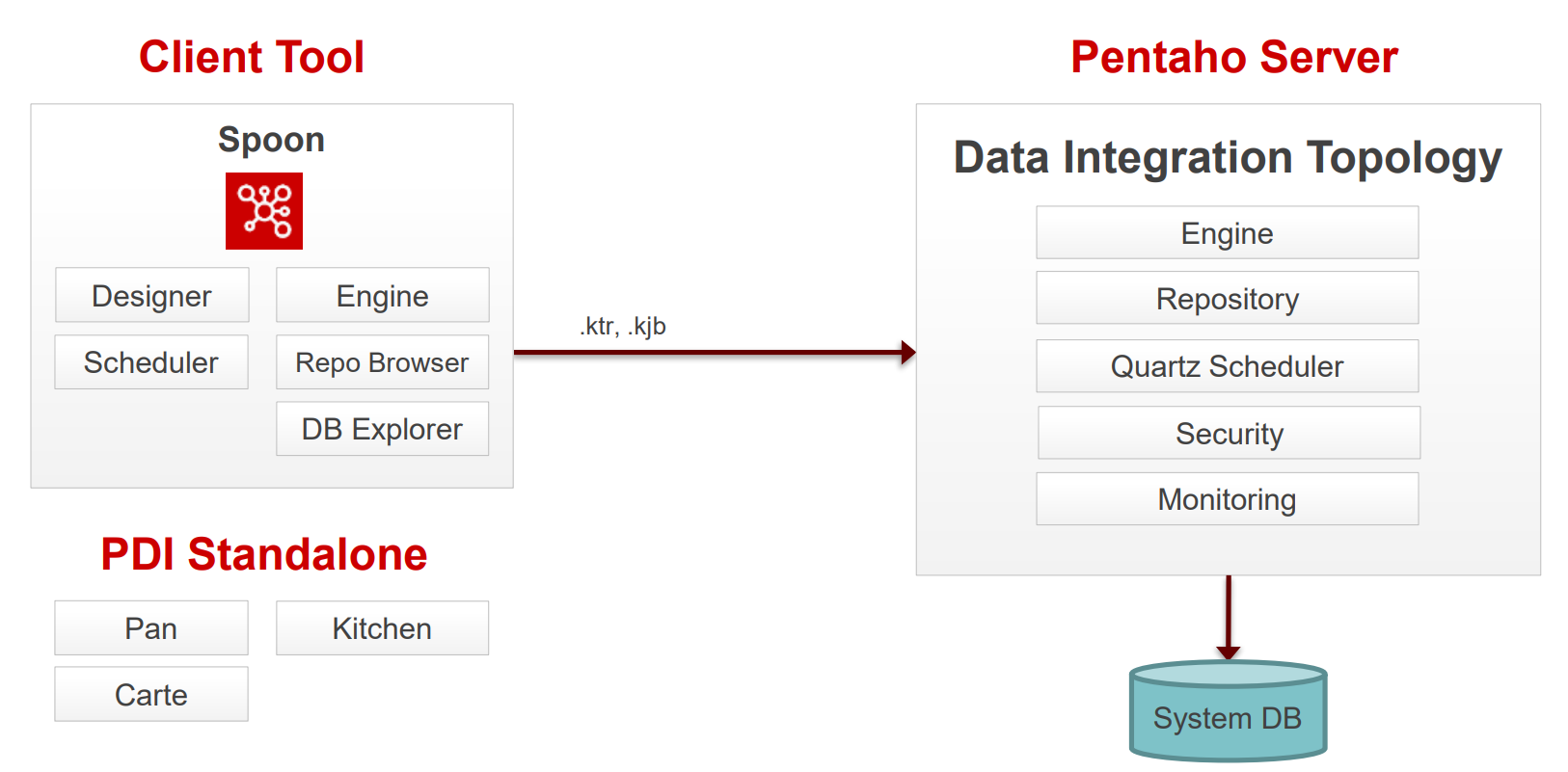
Enterprise Components: The server-side infrastructure that handles execution, security, content management, and scheduling
Client Tools: The desktop applications used to design, test, and deploy your data integration solutions
Configuration Framework: The KETTLE configuration files that control system behaviour and store critical settings
Repository Management: How PDI manages versioning, collaboration, and content organization
Database Connectivity: The process of integrating JDBC drivers to connect to various data sources
Browse to learn about the components:

Data Integration
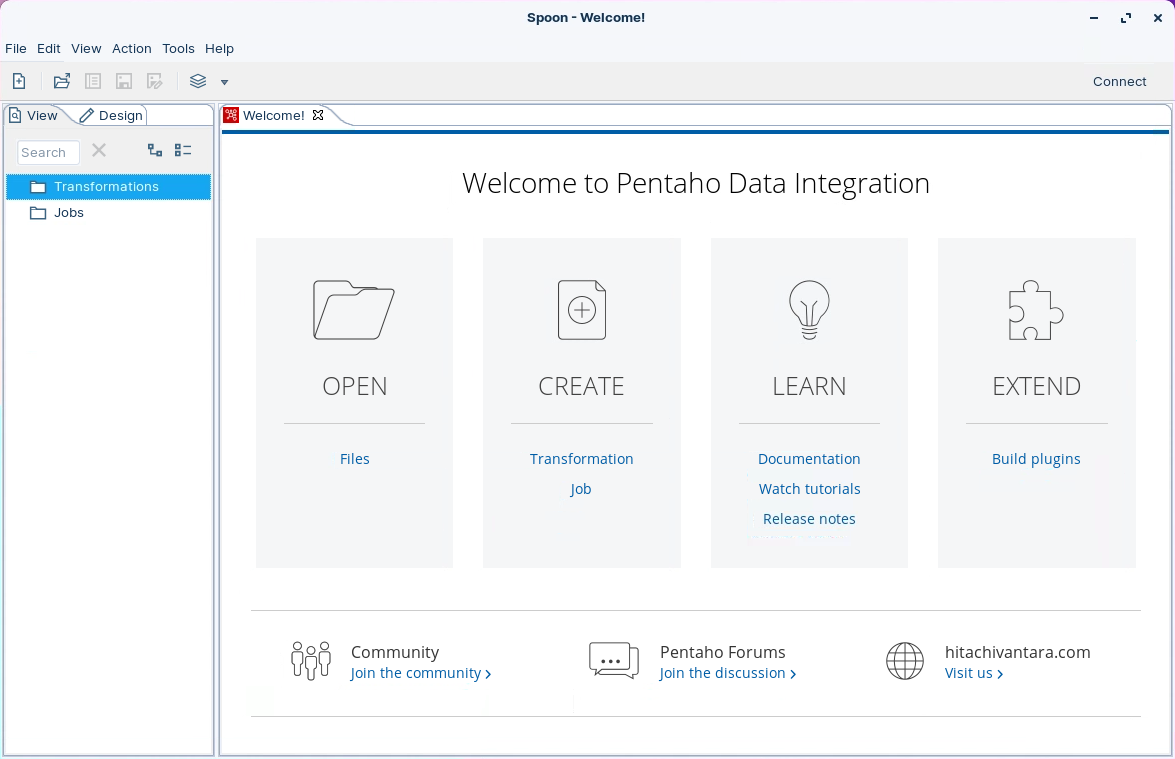
Spoon
Graphical modelling environment for developing, testing, debugging and monitoring jobs and transformations.
Designer
Drag & Drop 'objects' to design your pipelines and workflows.
Scheduler
Connects to Quartz scheduler on server. Jobs and transformations must be uploaded to Repository.
Engine
Kettle and Spark engines available to execute jobs and transformations.
Repository Browser
Connects to Apache Jackrabbit content Repository, pointing to a supported database:
PostgreSQL
MSSQL Server
Oracle
MySQL
MariaDB
DB Explorer
Database Explorer that enables you to conduct minimal database operations.
Pentaho Server
The Pentaho Server hosts Pentaho-created and user-created content. It is a core component for executing data integration transformations and jobs using the Pentaho Data Integration (PDI) Engine. It allows you to manage users and roles (default security) or integrate security to your existing security provider such as LDAP or Active Directory.
The primary functions of the Pentaho Server are:
Execution
Executes ETL jobs and transformations using the Pentaho Data Integration engine
Security
Allows you to manage users and roles (default security) or integrate security to your existing security provider such as LDAP or Active Directory
Content Management
Provides a centralized repository that allows you to manage your ETL jobs and transformations. This includes full revision history on content and features such as sharing and locking for collaborative development environments.
Scheduling & Monitoring
Provides the services allowing you to schedule and monitor activities on the Data Integration Server from within the Spoon design environment (Quartz).
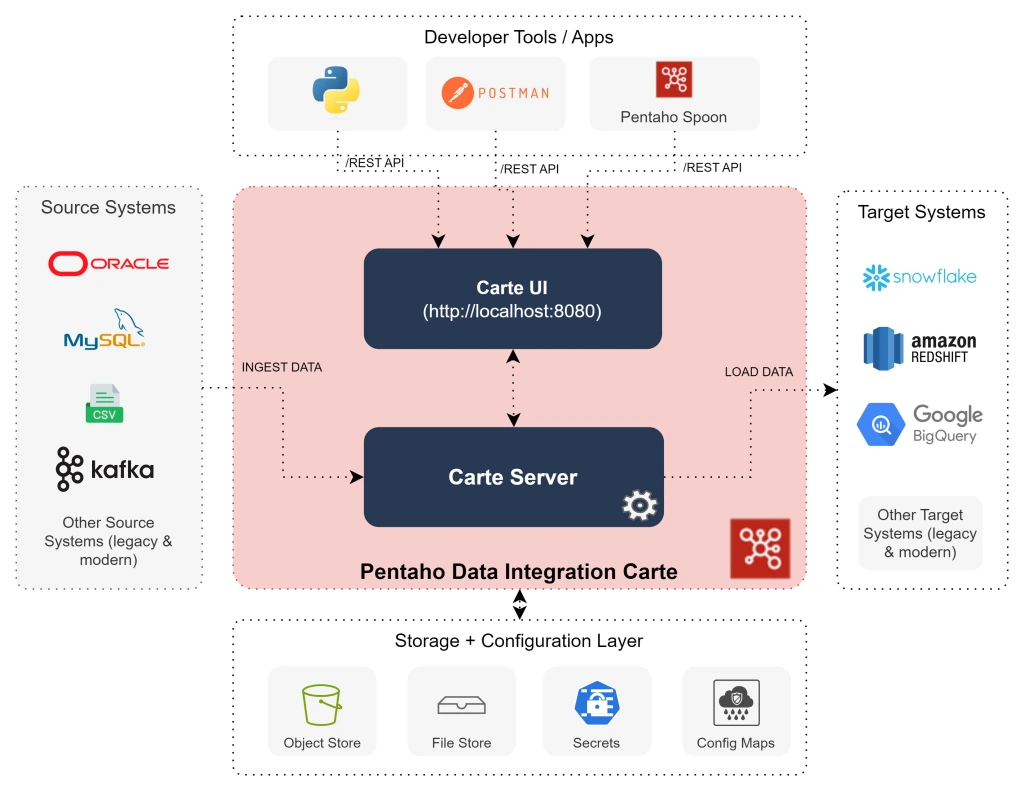
Carte Server
The Pentaho DI Carte Server is a vital component within the Pentaho data integration suite, designed to facilitate robust data processing operations. It serves as a stand-alone web server and execution environment that allows for the remote execution of ETL (Extract, Transform, Load) tasks, making it a cornerstone for managing data workflows efficiently.

PDI REST APIs
You can use PDI's command line tools to execute PDI content from outside of Spoon. Typically, you would use these tools in the context of creating a script or a Cron job to run the job or transformation based on some condition outside of the realm of Pentaho software.

spoon.bat / spoon.sh
Starts Spoon
kichen.bat / kitchen.sh
Command Line for Jobs
pan.bat / pan.sh
Command Line for Transformations
Launch Data Integration
Run the following command
(Linux):
cd
cd ~/Scripts
sh pentaho--platform.shkettle.properties
main configuration file with global variables
shared.xml
list of shared artefacts
db.cache
database cache for metadata
repositories.xml
list of repositories
.spoonrc
settings for the UI
.languageChoice
language settings
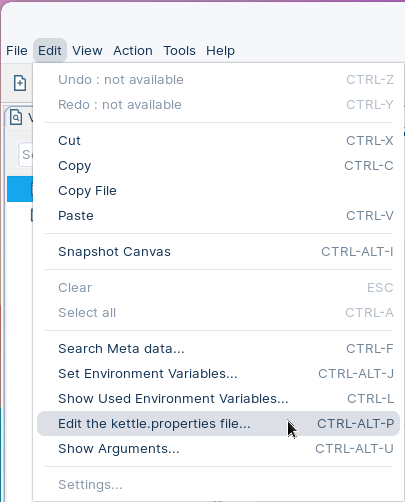
The kettle.properties can be edited using a Text Editor or via the Toolbar, select:

<repositories>
<repository>
<id>PentahoEnterpriseRepository</id>
<name>Pentaho</name>
<description/>
<is_default>false</is_default>
<repository_location_url>http://localhost:8080/pentaho</repository_location_url>
<version_comment_mandatory>N</version_comment_mandatory>
</repository>
</repositories>#Kettle Properties file
#Sat Dec 16 22:49:28 GMT 2023
AskAboutReplacingDatabases=N
AutoCollapseCoreObjectsTree=Y
AutoSave=N
AutoSplit=N
BackgroundColorB=255
BackgroundColorG=255
BackgroundColorR=255
CustomParameterMergeJoinSortWarning=Y
CustomParameterMergeRowsSortWarning=Y
CustomParameterSetVariableUsageWarning=Y
...You must restart the PDI client for the driver to take effect.
There should be only one driver for your database in the directory. Ensure that there are no other versions of the same vendor's driver in this directory. If there are, back up the old driver files and remove them to avoid version conflicts.
Exit from the PDI client (also called Spoon).
Stop the Pentaho Server.
Edit repository.spring.properties file.
cd
cd ~/Pentaho/server/pentaho-server/pentaho-solution/systems
nano repository.spring.propertiesEdit the versioningEnabled and versionCommentsEnabled statements:
versioningEnabled=true versionCommentsEnabled=trueLast updated
Was this helpful?