> For the complete documentation index, see [llms.txt](https://academy.pentaho.com/llms.txt). Markdown versions of documentation pages are available by appending `.md` to page URLs; this page is available as [Markdown](https://academy.pentaho.com/pentaho-ctools/c-tools/community-data-access/creating-a-cda/cda-data-sources.md).
# CDA Data Sources
Community Data Access ..
{% hint style="warning" %}
#### Workshop - Community Data Access
Data access is the foundation of every effective dashboard and analytical application, requiring a robust abstraction layer that separates business logic from underlying data sources while providing performance optimization and query management capabilities. In this comprehensive workshop, you'll master Community Data Access (CDA), learning how to create powerful XML-based configuration files that define data sources, manage query execution, implement intelligent caching strategies, and expose data through RESTful APIs.
Using the SteelWheels sample dataset, you'll gain hands-on experience with MDX queries against Mondrian OLAP cubes, explore CDA's extensive API capabilities, and implement enterprise-grade caching solutions that dramatically improve dashboard performance and reduce database load.
In this hands-on workshop, you'll experience the complete CDA development lifecycle, starting with reviewing pre-built CDA samples and progressing through query configuration, parameterization, and cache management. You'll learn how to work with CDA's XML structure to define connections, configure data access queries across multiple data source types including SQL databases and MDX OLAP queries, and implement sophisticated parameter passing for dynamic filtering.
As you work through the exercises, you'll master critical concepts including query result caching with configurable durations, scheduled cache warming for optimal performance, and the use of CDA's built-in previewer and cache manager tools. You'll also develop expertise in crafting MDX queries that leverage OLAP cube hierarchies, filter members dynamically, and return top-N analysis results that power executive dashboards.
**What You'll Accomplish:**
* Navigate to and explore pre-built CDA sample files in the Pentaho repository
* Understand the structure and purpose of CDA XML configuration files
* Review MDX queries that retrieve unique members from OLAP dimension hierarchies
* Analyze queries that filter geographical hierarchies (territories, countries, cities)
* Examine top-N analytical queries that return ranked customer sales data
* Configure query parameters for dynamic filtering using ${parameterName} syntax
* Preview query results using CDA's web-based data access interface
* Access CDA queries through RESTful API endpoints with proper URL construction
* Launch and navigate the CDA file editor (editFile) for direct XML editing
* Understand the three-button editor interface (Save, Reload, Preview)
* Enable query caching with cache="true" and cacheDuration attributes
* Configure cache keys for parameterized queries to maintain separate cache entries
* Implement cache warming with executeAtStart for pre-loading frequently accessed data
* Schedule automated cache refreshes using the Pentaho scheduling interface
* Configure CRON expressions for advanced cache refresh scheduling
* Access and monitor the CDA Cache Manager web interface
* Review cached queries and their execution statistics
* Clear cache entries manually or through scheduled maintenance
* Understand cache optimization strategies for dashboard performance tuning
By the end of this workshop, you'll have gained comprehensive knowledge of CDA's data access capabilities and caching architecture that enables high-performance dashboard development. You'll understand how to structure CDA files for maintainability, implement caching strategies that balance freshness with performance, and leverage CDA's API for flexible data integration.
**Prerequisites:** Pentaho Business Analytics Server with CTools and CDA plugin installed, SteelWheels sample data and Mondrian schema configured, administrative access to Pentaho User Console\
**Estimated Time:** 25 minutes
{% endhint %}
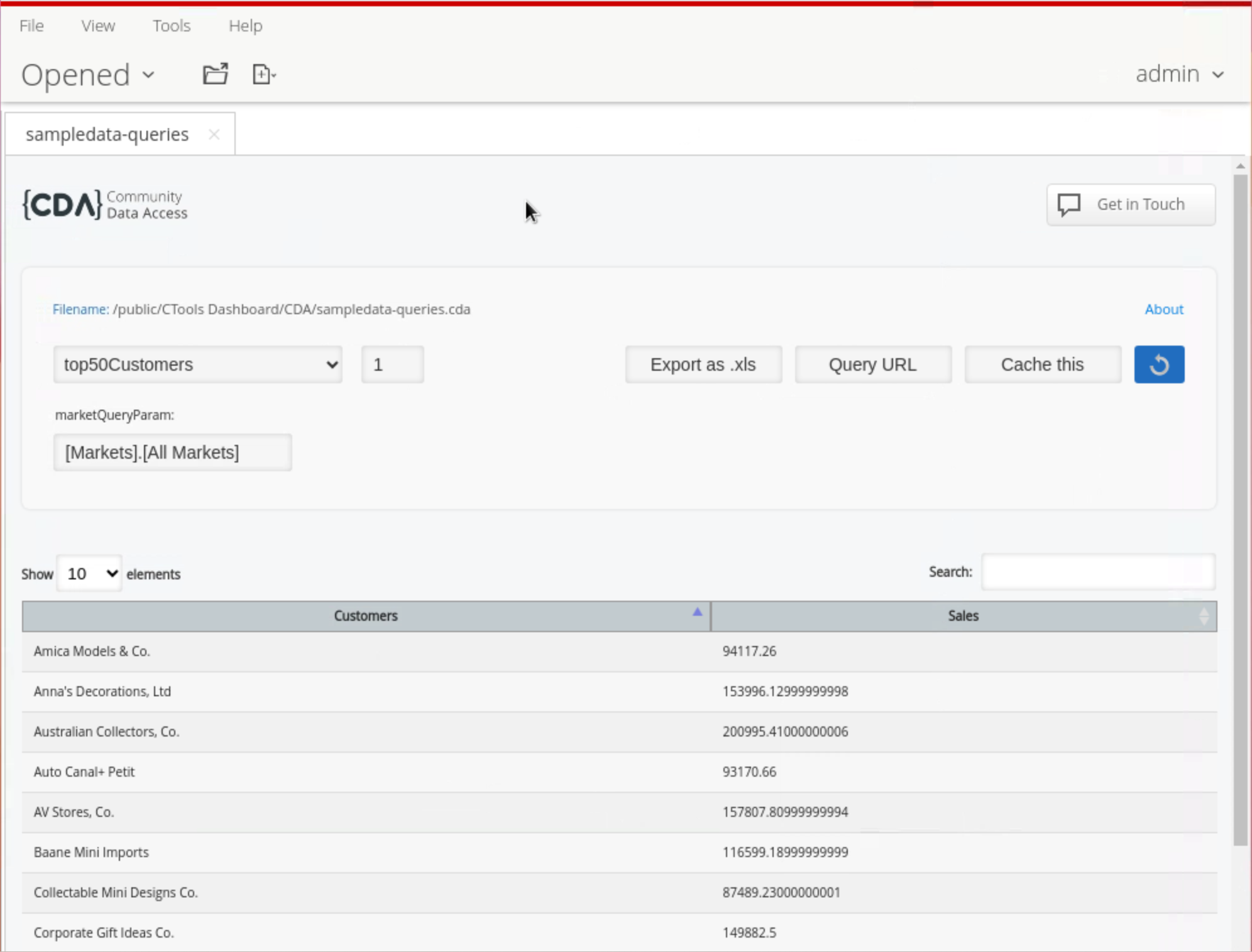
CDA Dashboard - Top 50 customers
{% tabs %}
{% tab title="CDA " %}
{% hint style="info" %}
Before we begin our CTools journey, let's review some CDA samples ..
{% endhint %}
1. Log into Pentaho User Console as Administrator.
{% embed url="" %}
Link to Pentaho Repository.
{% endembed %}
2. Select Browse Files.
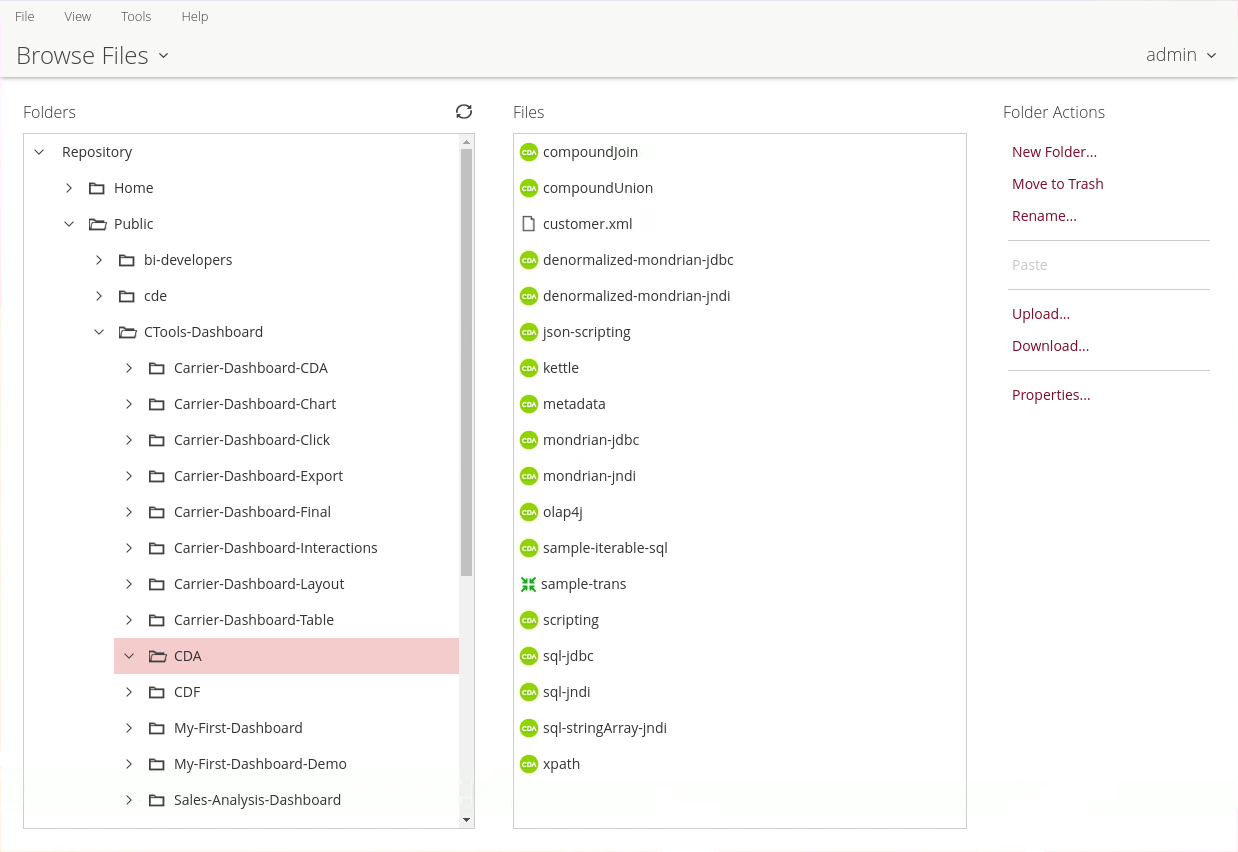
3. Navigate to: 'Public - CTools Dashboard - CDA' folder
4. Highlight the CDA folder.
CDA samples
{% endtab %}
{% tab title="CDA - sampledata" %}
{% hint style="info" %}
We are defining a data source that points to the sample data source that is created during the Pentaho installation.
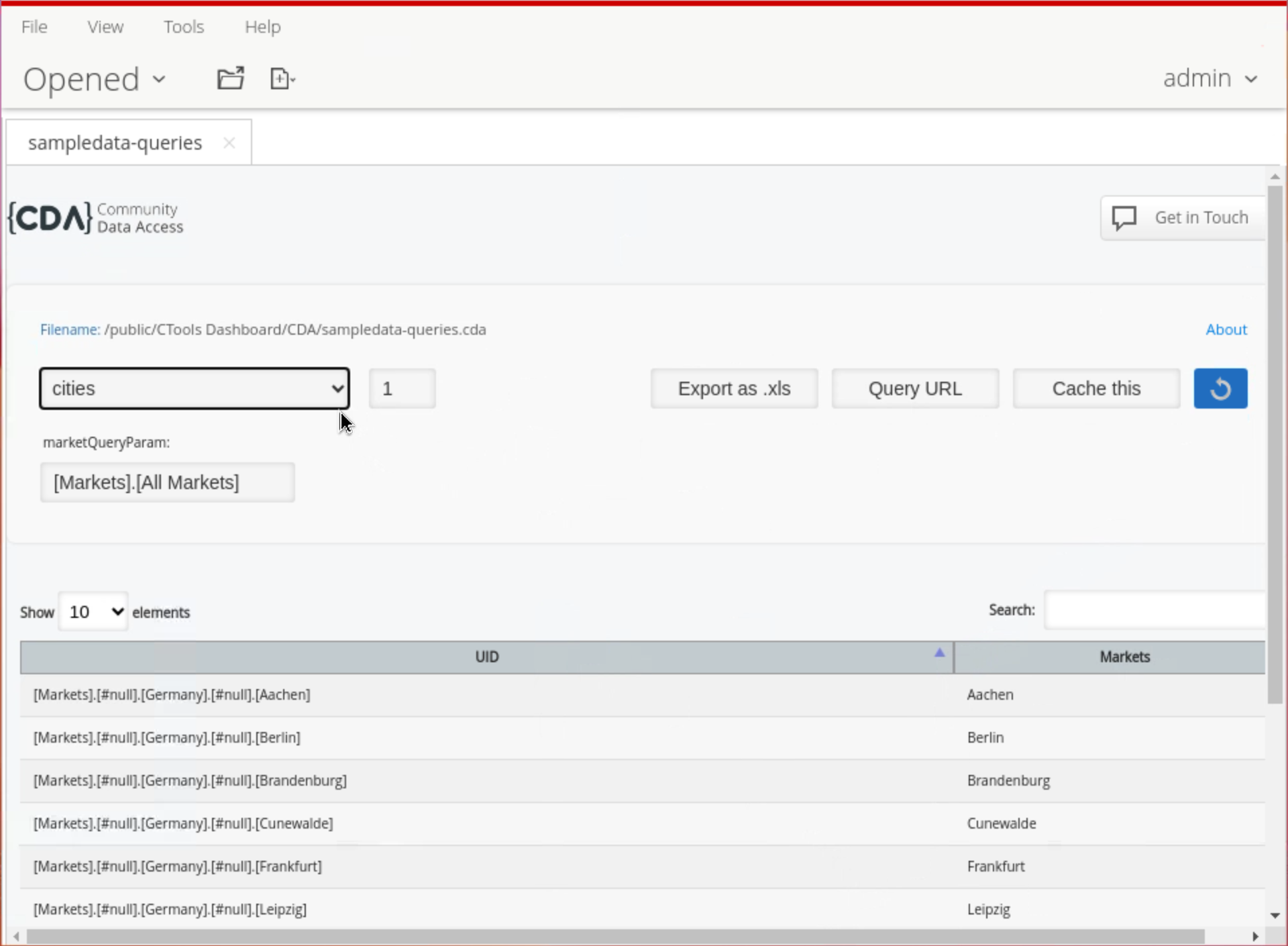
We also have four MDX queries: in the first 3 the MDX query returns unique members for territories, countries, cities - filtering out undesired values. The order of the columns is change from 0, 1 to 1, 0.
The last MDX query returns the top 50 customers based on Sales across all the geographical markets. The query passes a parameter - ${marketQueryParam} - which returns All Markets, but could be used to filter for a specific Market.
{% endhint %}
```xml
SampleDatamondrian:/SteelWheelsSteelWheelsSalesterritoriescompact
WITH
MEMBER [Measures].[UID] AS [Markets].CURRENTMEMBER.UNIQUENAME
SELECT
UNION([Markets].[All Markets], DESCENDANTS([Markets].[All Markets], [Markets].[Territory])) on ROWS,
{[Measures].[UID]} on COLUMNS
FROM [SteelWheelsSales]
countriescompact
WITH
MEMBER [Measures].[UID] AS [Markets].CURRENTMEMBER.UNIQUENAME
SELECT
UNION([Markets].[All Markets], DESCENDANTS(${marketQueryParam}, [Markets].[Country])) on ROWS,
{[Measures].[UID]} on COLUMNS
FROM [SteelWheelsSales]
citiescompact
WITH
MEMBER [Measures].[UID] AS [Markets].CURRENTMEMBER.UNIQUENAME
SELECT
UNION([Markets].[All Markets], DESCENDANTS(${marketQueryParam}, [Markets].[City])) on ROWS,
{[Measures].[UID]} on COLUMNS
FROM [SteelWheelsSales]
top50Customerscompact
WITH
SET CUSTOMERS AS TopCount([Customers].Children, 50.0, [Measures].[Sales])
SELECT
NON EMPTY {[Measures].[Sales]} ON COLUMNS,
NON EMPTY CUSTOMERS ON ROWS
FROM [SteelWheelsSales]
WHERE ${marketQueryParam}
```
{% hint style="info" %}
This example will be used in some samples during the next set of workshops. Don't forget to preview the results and confirm that you are able to return the results for both queries.
{% endhint %}
***
#### Preview Results
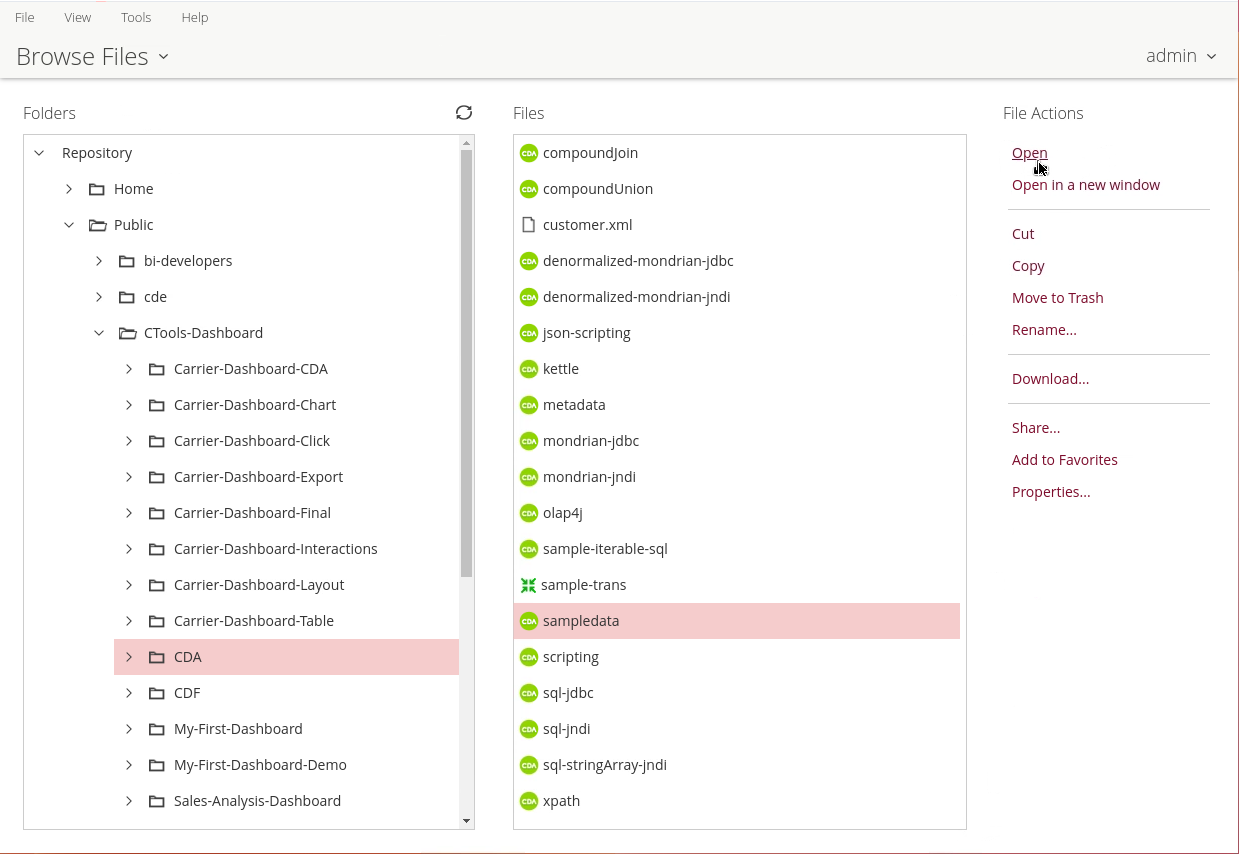
1. Highlight the sampledata-queries.cda.
2. Under 'File Actions' click on 'Open'.
sampledata.cda
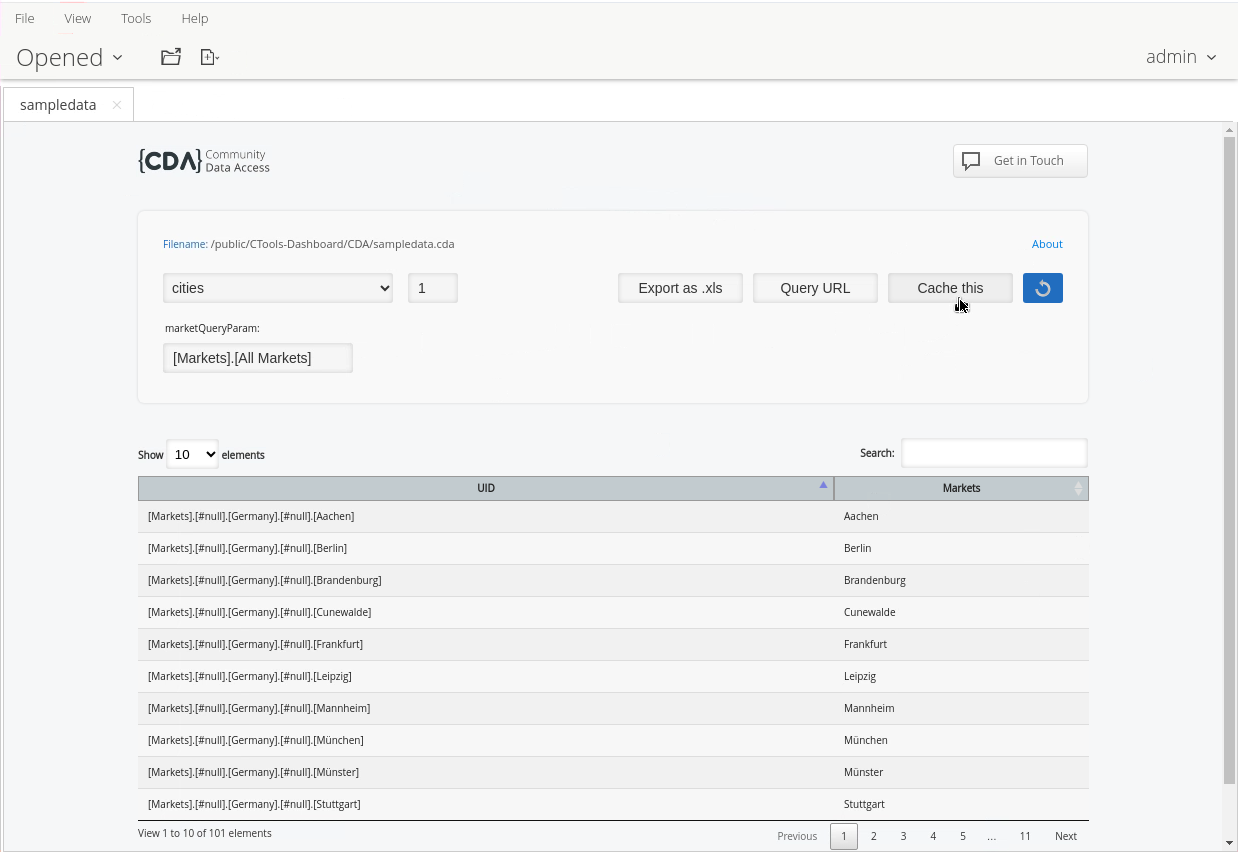
3. Select a Data Access ID in the CDA dashboard.
sampledata.cda - cities query
***
#### Previewer
{% hint style="info" %}
Let's test a few of the API's ..
{% endhint %}
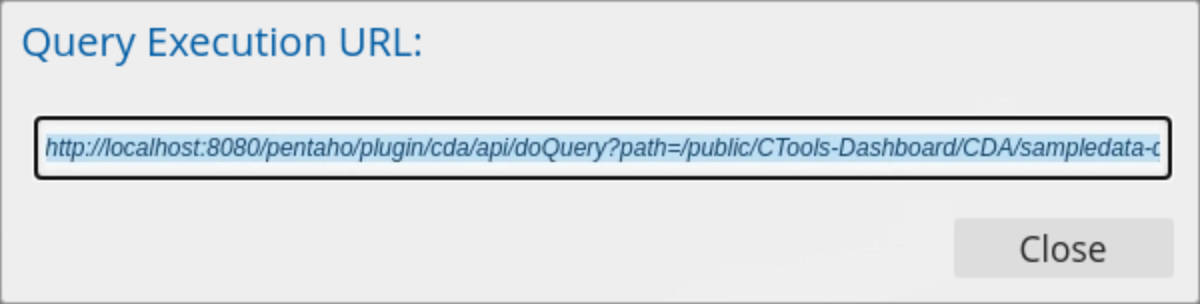
1. Click on the Query URL, to retrieve the API call.
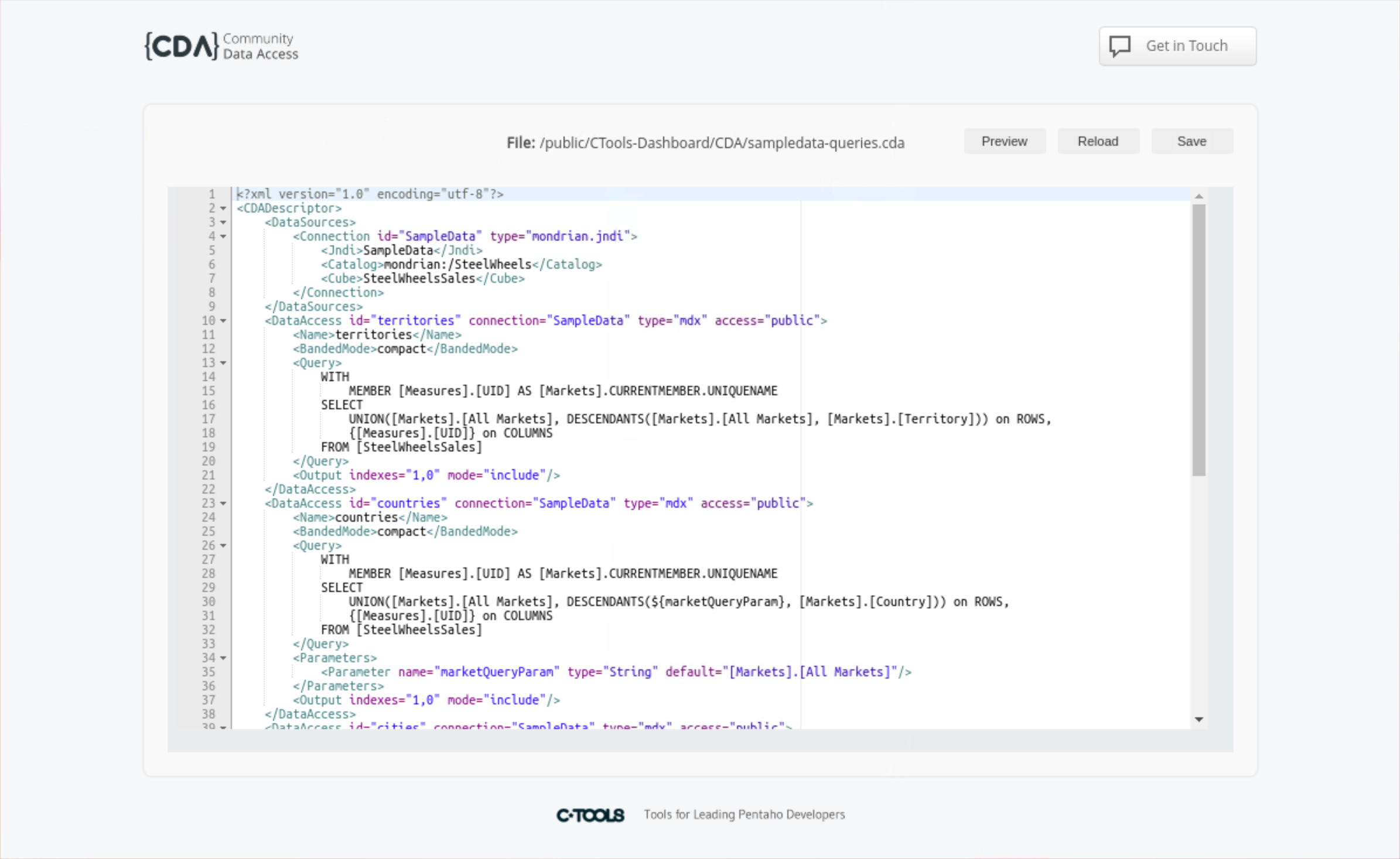
2. Copy & edit the URL to access the previewer - editFile
```
http://localhost:8080/pentaho/plugin/cda/api/editFile?path=/public/CTools-Dashboard/CDA/sampledata-queries.cda
```
Previewer
{% hint style="info" %}
The Editor Interface The interface consists of a central editor pane with three action buttons positioned above it on the right side:
**Save** - Preserves any changes made to the XML file
**Reload** - Refreshes the file content to its latest saved state
**Preview** - Opens a preview window to view data source execution results
{% endhint %}
{% endtab %}
{% tab title="CDA - Cache" %}
{% hint style="info" %}
We're going to come back to this topic .. Optimization
CDA is able to cache the queries that have been executed. Every query that runs will be cached or not cached, and by the time defined in the Cache property element when defining the Data Access.
You can also set the interval of time to grab results from the cache, avoiding new requests to the server.
{% endhint %}
1. If you still have your Query open, then click: 'Cache this' button.
To enable caching for a query in your CDA file, you need to add cache-related settings to your dataAccess element. Here are the key cache parameters:
```xml
```
{% hint style="info" %}
The main cache parameters are:
`cache="true"` - Enables caching
`cacheDuration="3600"` - Sets cache duration in seconds (3600 = 1 hour)
You can also use these additional cache parameters:
`cacheKeys` - Defines specific keys for parameterized queries
`outputIndexId` - Sets a unique identifier for the cached output
`executeAtStart` - Pre-loads the cache when the server starts
{% endhint %}
Example of a complete cached query configuration:
```xml
My Cached Query
SELECT * FROM my_table
```
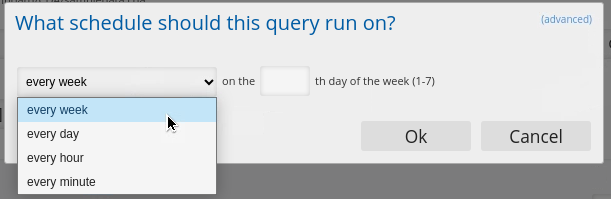
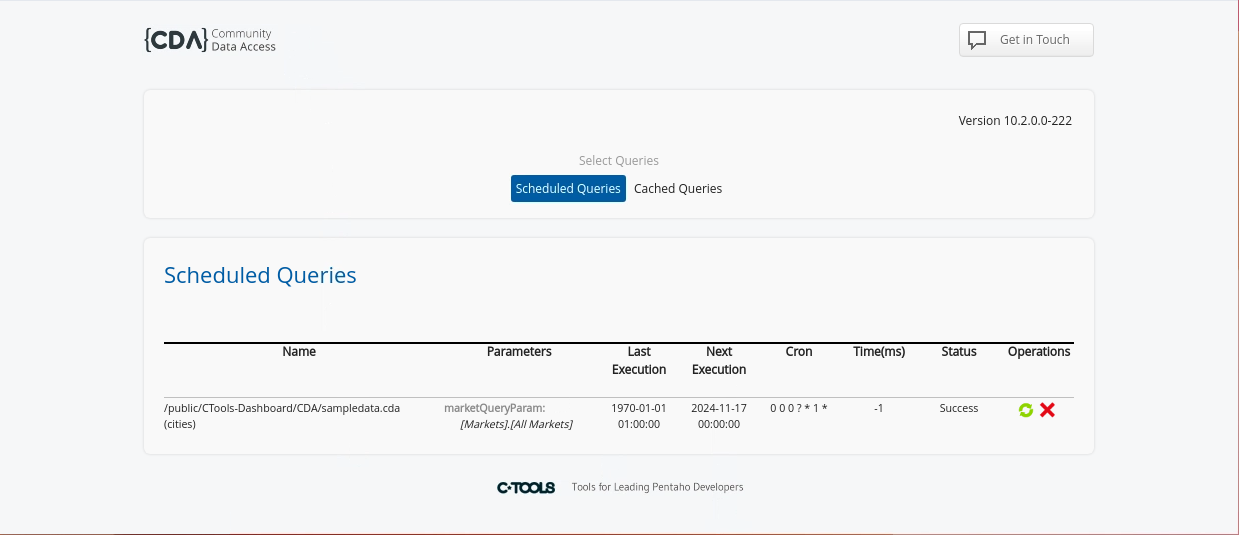
2. Set your schedule.
Set a schedule
{% hint style="info" %}
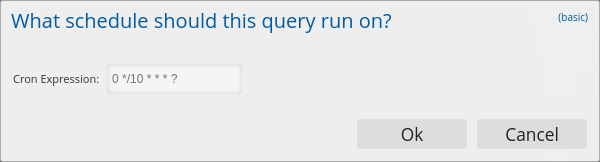
If you prefer to use CRON, click on the (advanced) link (top right)
{% endhint %}
CRON
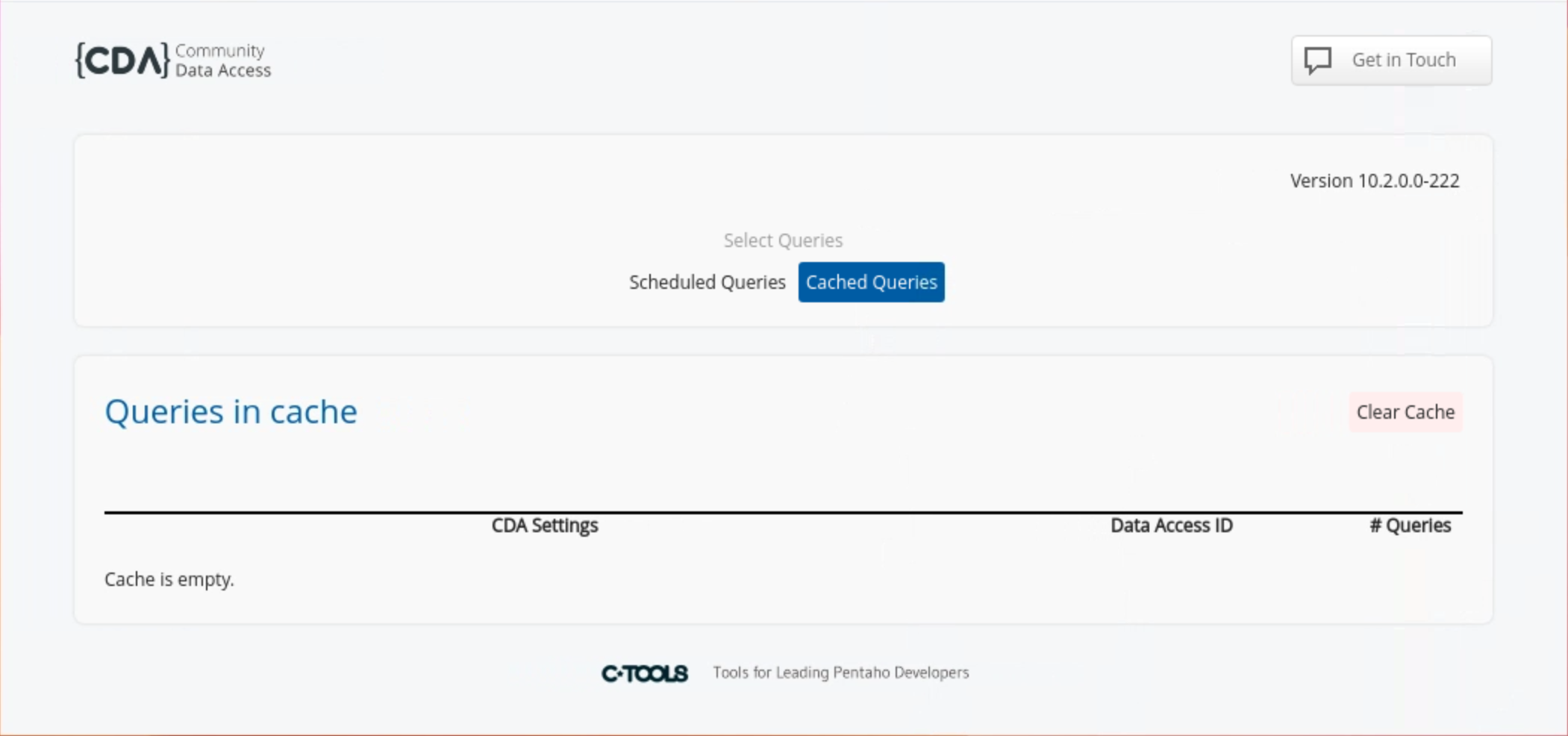
Cache Manager
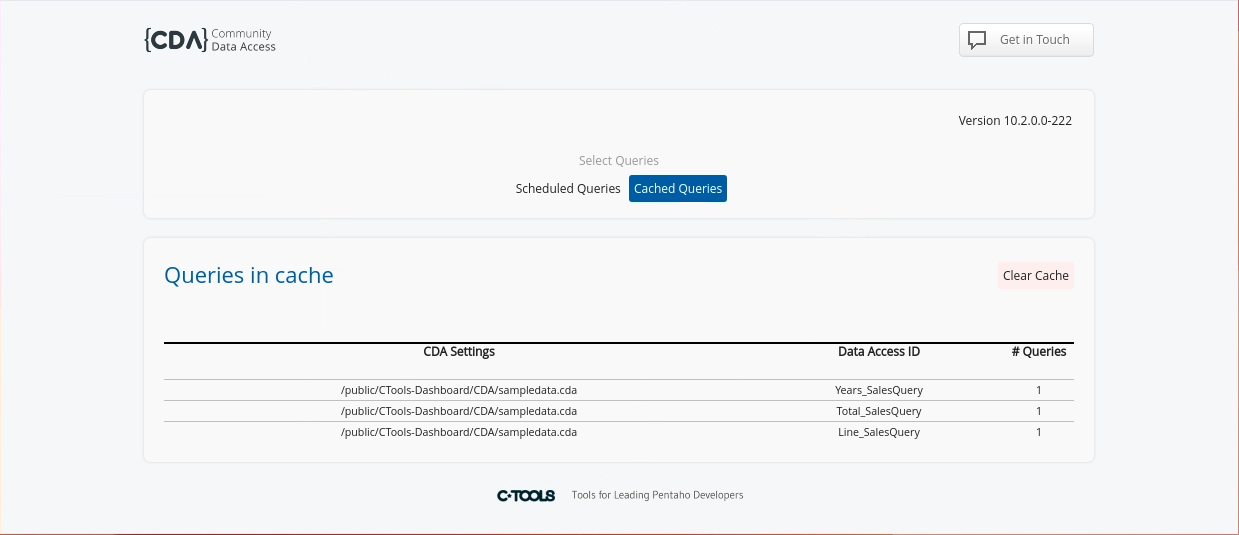
3. Click: 'Cached Queries'.
Cached Queries
{% hint style="info" %}
Notice all the Queries are executed / cached.
{% endhint %}
***
{% hint style="info" %}
Click on the link below to access the Cache Manager.
{% endhint %}
{% embed url="" %}
x
{% endembed %}
Schedule Queries & Cache Manager
{% endtab %}
{% endtabs %}
---
# Agent Instructions
This documentation is published with GitBook. GitBook is the documentation platform designed so that both humans and AI agents can read, navigate, and reason over technical content effectively. Learn more at gitbook.com.
## Querying This Documentation
If you need additional information that is not directly available in this page, you can query the documentation by asking a question.
Perform an HTTP GET request on the following URL with the `ask` and `goal` query parameters:
```
GET https://academy.pentaho.com/pentaho-ctools/c-tools/community-data-access/creating-a-cda/cda-data-sources.md?ask=&goal=
```
`ask` is the immediate question: it should be specific, self-contained, and written in natural language.
`goal` is what the user is ultimately trying to achieve, the reason they need the answer. Sharing it helps GitBook give you a better, more relevant answer. A goal is most helpful when it describes the outcome the user wants rather than restating the question. For example, with `ask=how do I create an API token`, a goal like `automate deployments from our CI pipeline` lets GitBook tailor the answer to that use case.
The response will contain a direct answer to the question and relevant excerpts and sources from the documentation.
Use this mechanism when the answer is not explicitly present in the current page, you need clarification or additional context, or you want to retrieve related documentation sections.