> For the complete documentation index, see [llms.txt](https://academy.pentaho.com/llms.txt). Markdown versions of documentation pages are available by appending `.md` to page URLs; this page is available as [Markdown](https://academy.pentaho.com/pentaho-ctools/c-tools/getting-started.md).
# Getting Started
Components, requirements and templated dashboard ..
{% hint style="info" %}
Pentaho Community Tools is a stack of open-source tools, installed on top of the Pentaho Server and are commonly referred to as CTools.
{% endhint %}
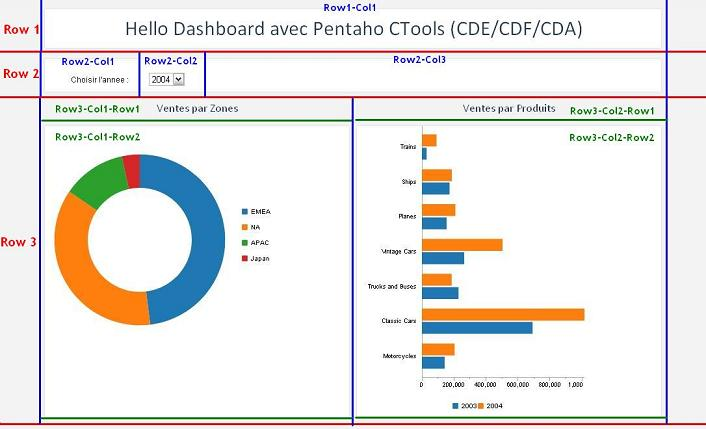
Component breakdown of a Pentaho CTools dashboard.
#### Components
{% tabs %}
{% tab title="CDA" %}
{% hint style="info" %}
[**Community Data Access (CDA)**](/pentaho-ctools/c-tools/community-data-access.md)
Enables you to gather and combine data from several data sources into a single structure, which you can then use in dashboards. Driven by the need to unify access to the Pentaho data layer, CDA was developed to create an abstraction layer between a CTools dashboard and the physical connections to different databases.
CDA has three main objectives:
• Combine data from several sources
• Ensure security while accessing the data (avoiding, for instance, SQL injection problems)
• Ease data exports
{% endhint %}
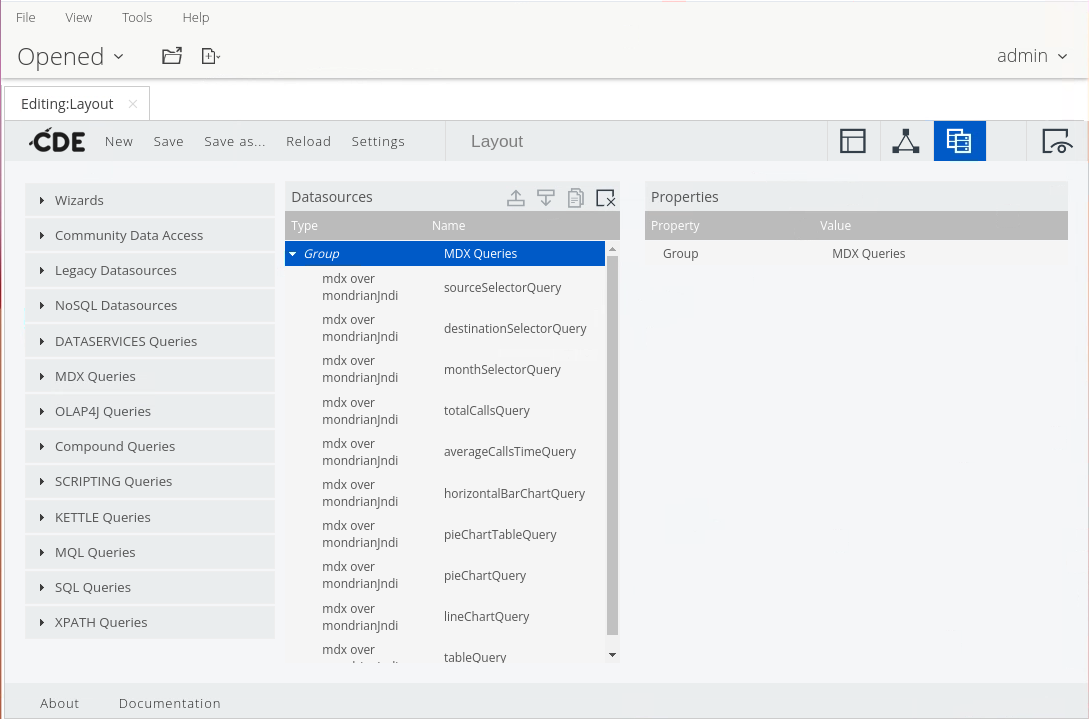
CDA data sources
{% endtab %}
{% tab title="CDF" %}
{% hint style="info" %}
[**Community Dashboard Framework (CDF)**](/pentaho-ctools/c-tools/community-dashboard-framework.md)
Allows BA developers to quickly and easily create dynamic dashboards. Users can explore and understand large amounts of data using a variety of charts, tables, and other components and then “drill down” to the exact data they want.
The framework creates dashboards leveraging web technologies such as JavaScript, CSS, and HTML; allowing the dashboard designer to control the dashboard’s whole lifecycle without resorting to Java coding.
CDF has five main advantages:
• Based in open source technology
• Uses popular web technologies, such as Ajax, HTML, and CSS3
• Manages the components' lifecycles and interactions between them
• Separates the HTML design from the component definition
• Allows for extensibility
{% endhint %}
xcdf file that calls myFirstDashboard.html
```xml
My first dashboard!My NameMy first dashboard!
myFirstDashboard.html
true
```
{% endtab %}
{% tab title="CDE" %}
{% hint style="info" %}
#### [Community Dashboard Editor (CDE)](/pentaho-ctools/c-tools/community-dashboard-editor.md)
Whereas CDF is a development framework directed at users with JavaScript and HTML skills, Community Dashboard Editor (CDE) is a graphical dashboard editor which provides access to the dashboard components in CDF.
This tool uses a grid for the layout which enables users to create their own dashboards without needing a lot of JavaScript or HTML expertise. CDE aims to simplify the creation and addition of CTools dashboards.
{% endhint %}
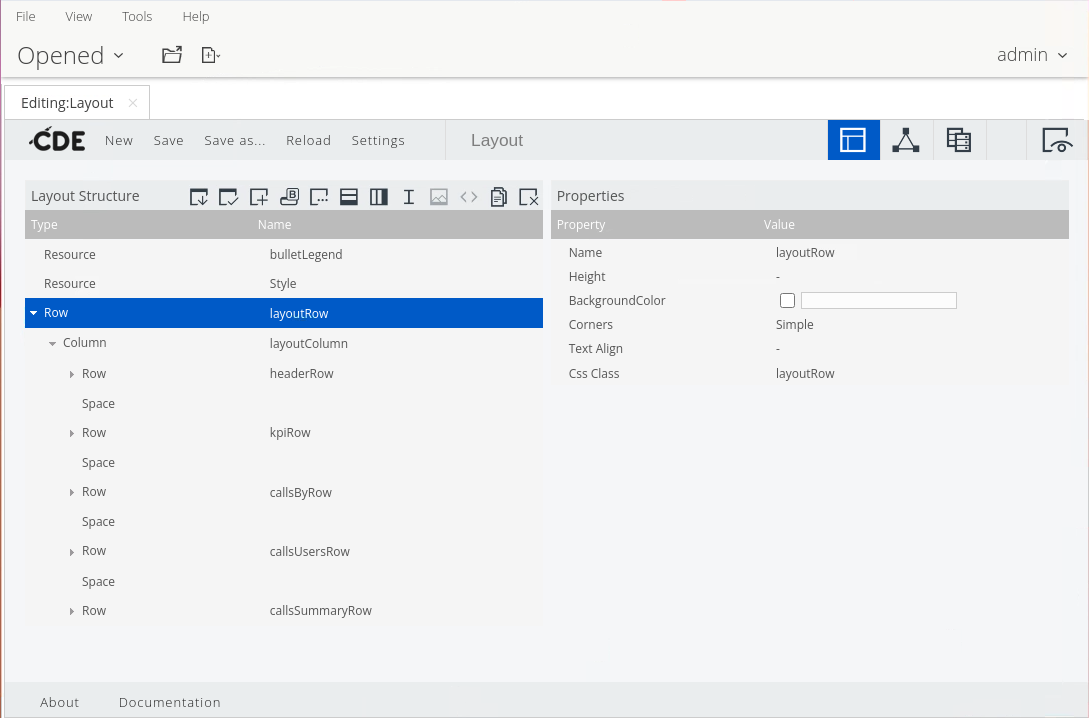
Layout Structure
{% endtab %}
{% tab title="CCC" %}
{% hint style="info" %}
[Community Chart Components (CCC) ](/pentaho-ctools/c-tools/community-dashboard-editor.md)
Allows dashboard designers to create powerful and custom charts for their dashboards. Essentially, it is a visualization library built on top of [Protovis](http://mbostock.github.com/protovis), a powerful open source data visualization library based in scalable vector graphics (SVG).
The included default options can be bolstered with features in CDE, or an advanced user can pass extension points via Protovis commands to enhance chart components in dashboards.
{% endhint %}
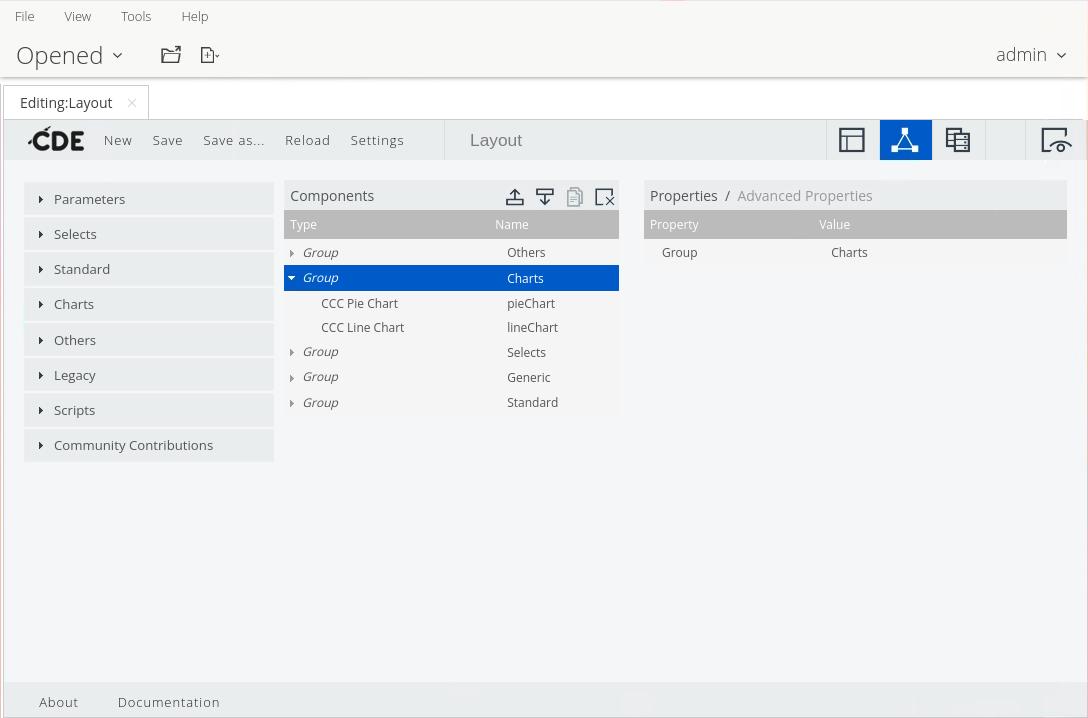
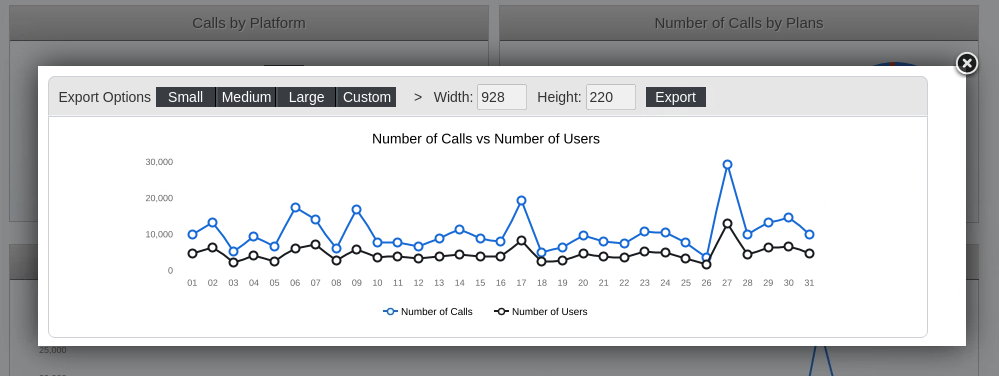
Chart Components
{% endtab %}
{% tab title="CGG" %}
{% hint style="info" %}
[Community Graphics Generator (CGG) ](/pentaho-ctools/c-tools/community-graphics-generator.md)
Allows you to export CCC charts as images which are then available for Pentaho reports. Additionally, this plugin renders the CCC charts in browsers which might have limited capacity for rendering SVG images. In summary, this component is able to draw, within the server, exactly the same chart which is shown in the CTools dashboard using your web browser.
CGG has three main features:
• Full integrated with CDE
• Rendering charts via a URL
• Running SVG-based charts and then converting them into images
{% endhint %}
CCG
{% endtab %}
{% tab title="Enable CDE & CDA" %}
{% hint style="info" %}
To activate the Community Dashboard Editor (CDE) plugin, you will need to change the configuration of several .xml files in the Pentaho solutions folder as described below. Verify that you have the appropriate permissions to read, write, and execute commands in the specified directories in the instructions.
{% endhint %}
1. Ensure the Pentaho Server is stopped.
```bash
cd
cd /opt/pentaho/server/pentaho-server
sudo ./stop-pentaho.sh
```
2. Uncomment the following lines:
/opt/pentaho/server/pentaho-server/pentaho-solutions/system/pentaho-cdf-dd/plugin.xml
```bash
cd
cd /opt/pentaho/server/pentaho-server/pentaho-solutions/system/pentaho-cdf-dd
sudo nano plugin.xml
```
3. Locate the following two commented blocks in this file and remove the comment tags from these blocks.
```
EDITwcdf.edit
```
```
```
4. Save.
```
CTRL + O
Enter
CTRL + X
```
5. Uncomment the following lines:
/opt/pentaho/server/pentaho-server/pentaho-solutions/system/pentaho-cdf-dd/settings.xml
```bash
cd
cd /opt/pentaho/server/pentaho-server/pentaho-solutions/system/pentaho-cdf-dd
sudo nano settings.xml
```
6. Locate the block at end of the file, 'Defining the new-toolbar-button' and remove the comments tags from this block
```
1,New CDE Dashboard,CDE Dashboard,api/repos/wcdf/new
```
7. Locate the block at end of the file, 'Defining the new-toolbar-button' and remove the comments tags from this block.
8. Save.
```
CTRL + O
Enter
CTRL + X
```
9. Restart the Pentaho Server.
```bash
cd
cd /opt/pentaho/server/pentaho-server
sudo ./start-pentaho.sh
```
***
#### Community Dashboard Editor (CDE)
To verify CDE is activated, do the following.
1. Log on to the [Pentaho User Console](https://help.pentaho.com/Documentation/8.0/Setup/Evaluation/Tutorials/0D0/020).
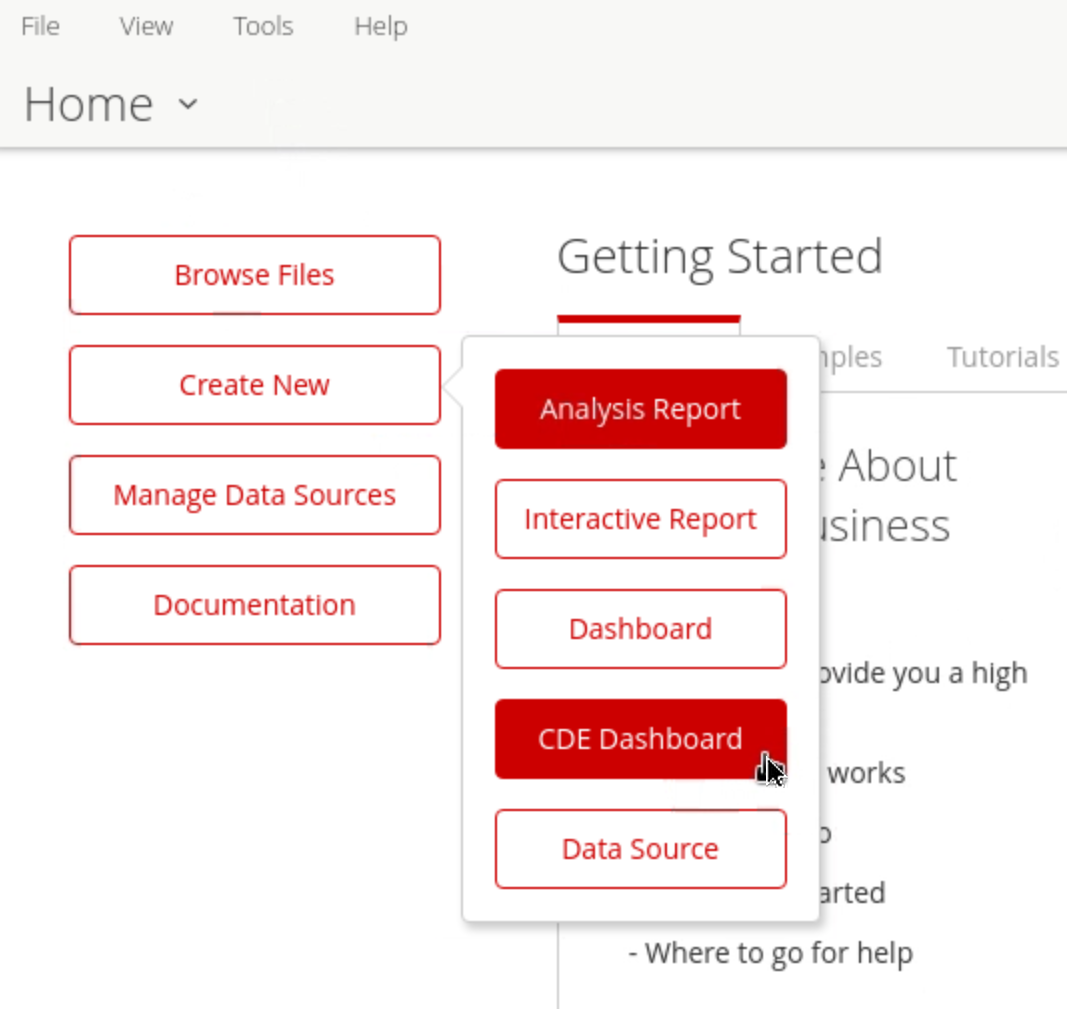
2. From the Home page, click the Create New button.
3. From the menu that displays, select the New CDE Dashboard option. You can now begin creating your first CDE dashboard.
CDE Dashboard option
{% endtab %}
{% endtabs %}
---
# Agent Instructions
This documentation is published with GitBook. GitBook is the documentation platform designed so that both humans and AI agents can read, navigate, and reason over technical content effectively. Learn more at gitbook.com.
## Querying This Documentation
If you need additional information that is not directly available in this page, you can query the documentation dynamically by asking a question.
Perform an HTTP GET request on the current page URL with the `ask` query parameter, and the optional `goal` query parameter:
```
GET https://academy.pentaho.com/pentaho-ctools/c-tools/getting-started.md?ask=&goal=
```
`ask` is the immediate question: it should be specific, self-contained, and written in natural language.
`goal` is optional and describes the broader end goal you are ultimately trying to accomplish on behalf of the user. GitBook uses it to tailor the answer towards what is most useful for that goal.
The response will contain a direct answer to the question and relevant excerpts and sources from the documentation.
Use this mechanism when the answer is not explicitly present in the current page, you need clarification or additional context, or you want to retrieve related documentation sections.