Windows Pentaho Lab
Pentaho Lab
Pentaho Data Integration is a client-based tool commonly installed and configured to run on Windows 11.
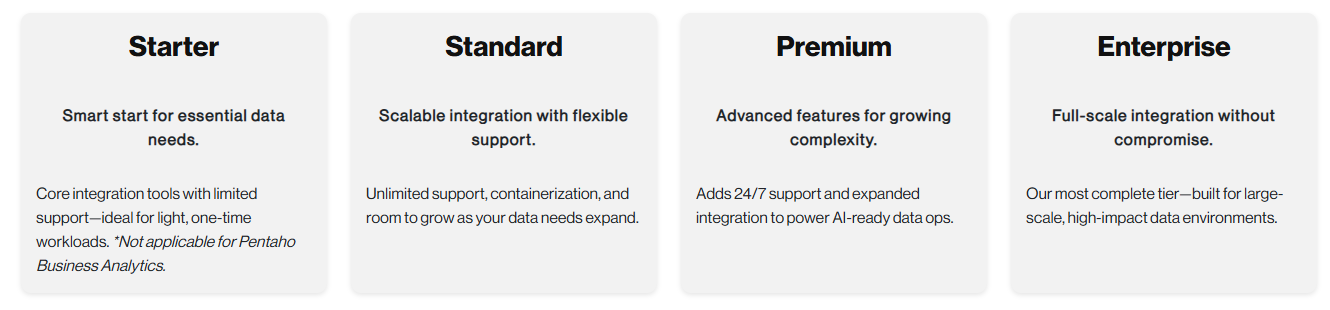
There are several licensing options, for these workshops we will be installing a Enterprise Edition. This will give you the opportunity to try out building a complete solution - automated data pipelines + analytics ..

The following steps are intended for setting up a Pentaho Lab environment and need to be completed in order to complete the Workshops.
Ensure you have downloaded the Workshop--Installation
Docker Desktop
Docker Desktop is an application for Windows, macOS, and Linux that provides an easy-to-use interface for developing and running containerized applications. It bundles the Docker Engine, Docker CLI, Docker Compose, Kubernetes, and other essential tools into a single package with a graphical user interface.
Docker Desktop simplifies container management by handling the underlying virtualization automatically, allowing developers to build, test, and deploy applications in isolated, portable containers without worrying about environment configuration differences. It's particularly popular among developers who want to ensure their applications run consistently across different environments, from local development machines to production servers.
Download the Docker Desktop installer.
Navigate to: Downloads
Double-click:
Docker Desktop Installer.exeto run the installer.
By default, Docker Desktop is installed at C:\Program Files\Docker\Docker.
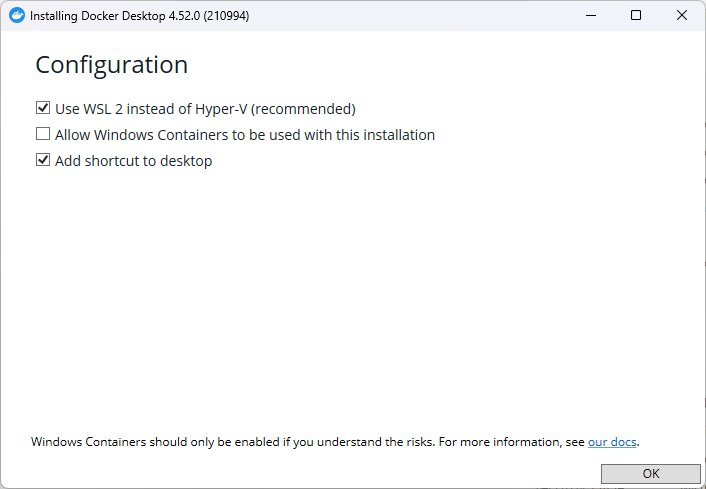
When prompted, ensure the Use WSL 2 instead of Hyper-V option on the Configuration page is selected.
On systems that support only one backend, Docker Desktop automatically selects the available option.

Close to complete the installation process.
Docker User
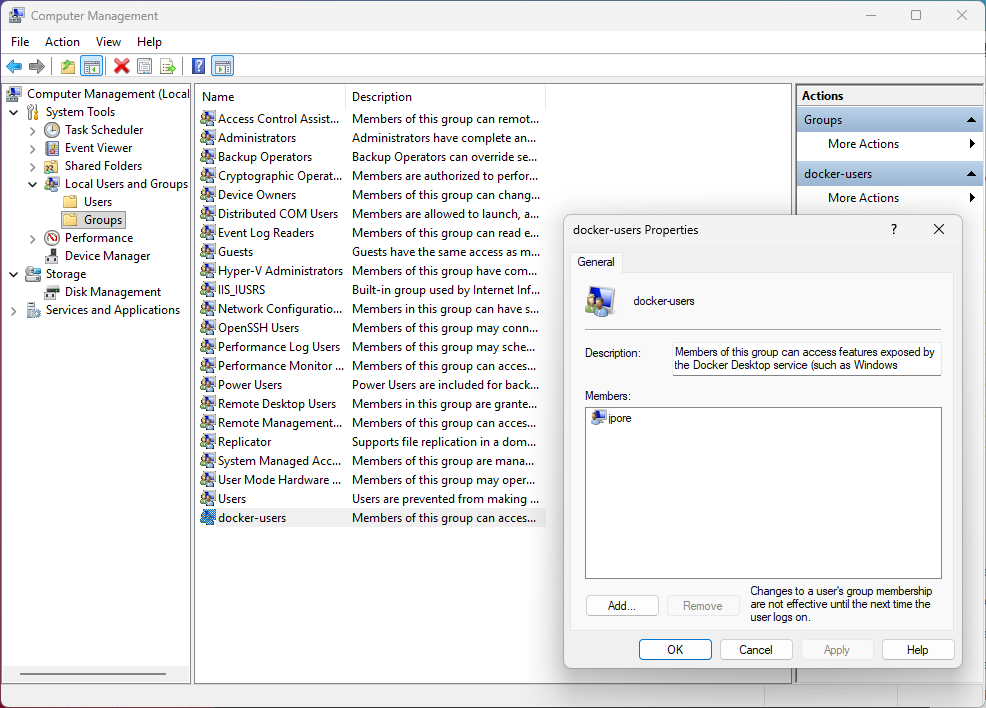
If your administrator account is different to your user account, you must add the user to the docker-users group:
Run Computer Management as an administrator.
Navigate to Local Users and Groups > Groups > docker-users.
Right-click to add the user to the group.

Sign out and sign back in for the changes to take effect.
Docker Compose - MySQL
The pentaho_admin user only has READ permission for the Steel Wheels - sampledata database. The administrator account has been removed.
As you'll be running through CRUID database operations we need to deploy a sampledata database - Docker container, granting all privileges to an admin user.
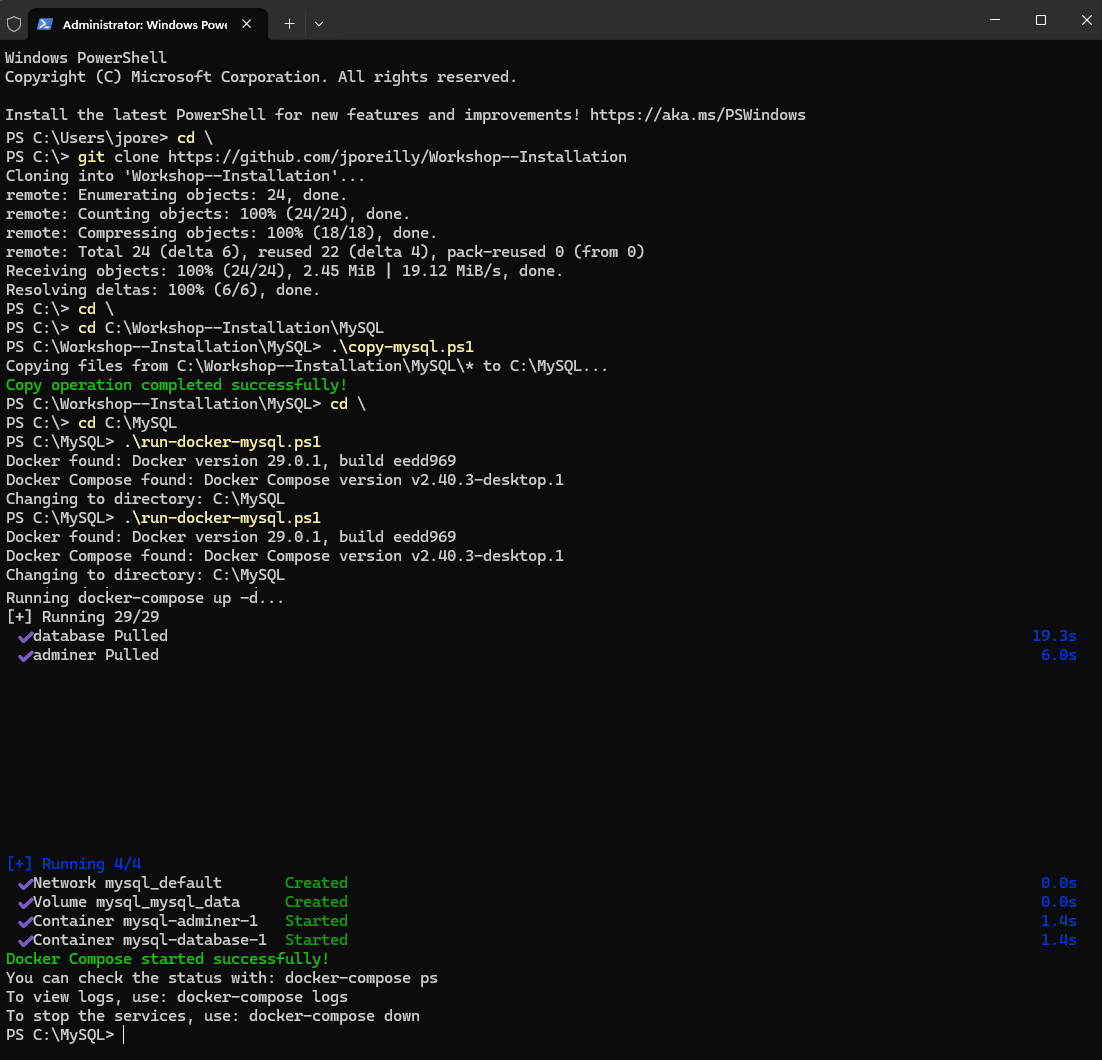
Run the following script to create a MySQL folder and copy the required files.
Check the Directory has been created and the files copied over.
Execute the docker-compose script to create the container.

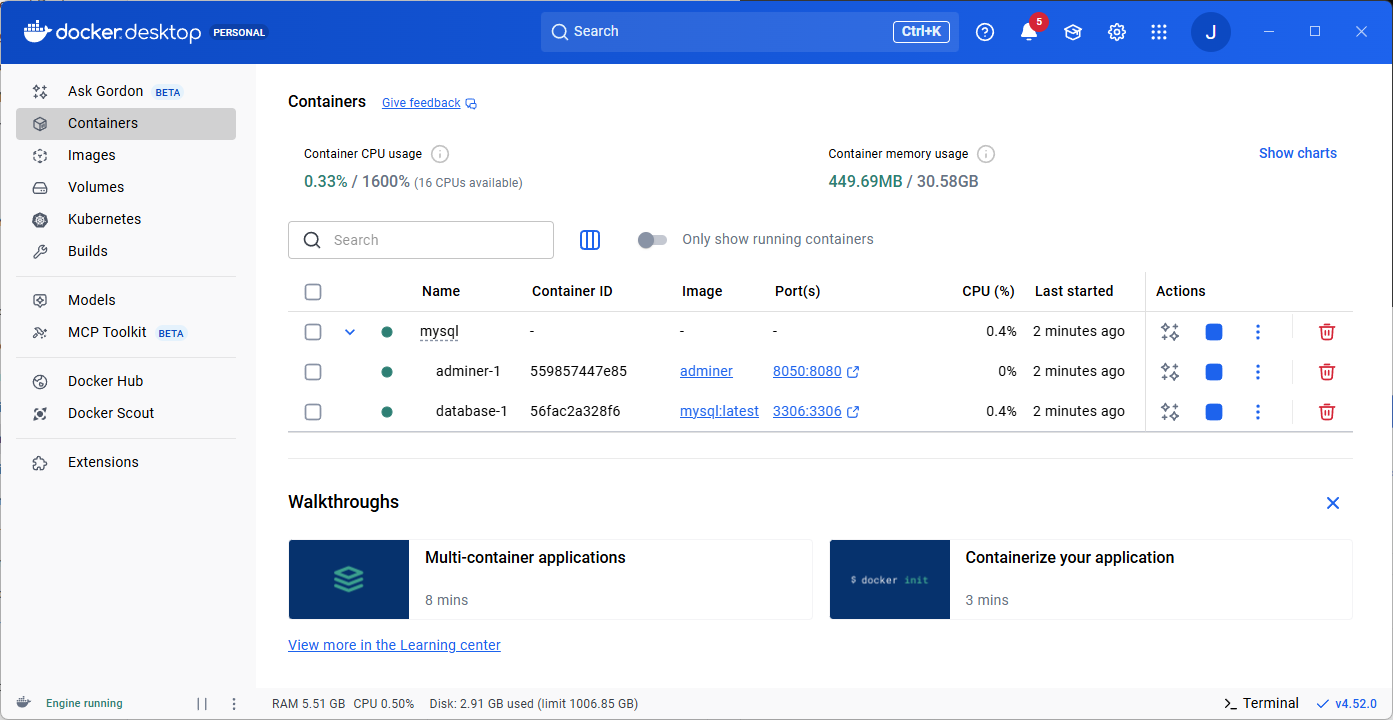
Check the container is up and running in Docker Desktop.


sampledata_schema.sql
This script creates a comprehensive relational database structure for a sample business application. It's designed to model a sales and order management system for a company that sells various products.
Database Setup
Creates a database named
with UTF-8 character set
Sets up users with appropriate permissions
Configures SQL mode for better data integrity
Tables
OFFICES: Stores company office locations with address details
EMPLOYEES: Contains employee information with relationships to offices and reporting structure
CUSTOMERS: Stores customer information including contact details and credit limits
PRODUCTS: Contains product catalog with inventory and pricing information
ORDERS: Tracks customer orders with status and dates
ORDERDETAILS: Contains line items for each order with quantity and price
PAYMENTS: Records customer payments with amounts and dates
ORDERFACT: A fact table for order analytics
CUSTOMER_W_TER: Extended customer information with territory
DIM_TIME: Time dimension table for reporting
DEPARTMENT_MANAGERS: Stores department manager information
QUADRANT_ACTUALS: Contains budget vs. actual financial data with a generated VARIANCE column
TRIAL_BALANCE: Financial accounting data
Views
customer_order_summary: Summarizes orders and spending by customer
product_performance: Analyzes product sales metrics including revenue and profit
employee_sales_performance: Tracks sales performance by employee
monthly_sales_trend: Shows sales trends over time by month
product_inventory_status: Categorizes products by inventory levels
customer_payment_history: Summarizes customer payment activity and balances
Stored Procedures
GetCustomerOrders: Retrieves orders for a specific customer
UpdateProductStock: Updates product inventory levels
GetProductSalesByQuarter: Analyzes quarterly product sales
GetTopCustomersByRegion: Identifies top customers by region
GetInventoryValueByProductLine: Calculates inventory metrics by product line
Triggers
before_order_insert: Validates date constraints on orders
before_payment_insert: Ensures payment amounts are positive
Execute the following command to create the schema.
This command is importing SQL schema data into a MySQL database running in a Docker container. Here's a breakdown:
This command reads the SQL file:
Pipes (forwards) the file contents to the next command:
This executes a command in a running Docker container:
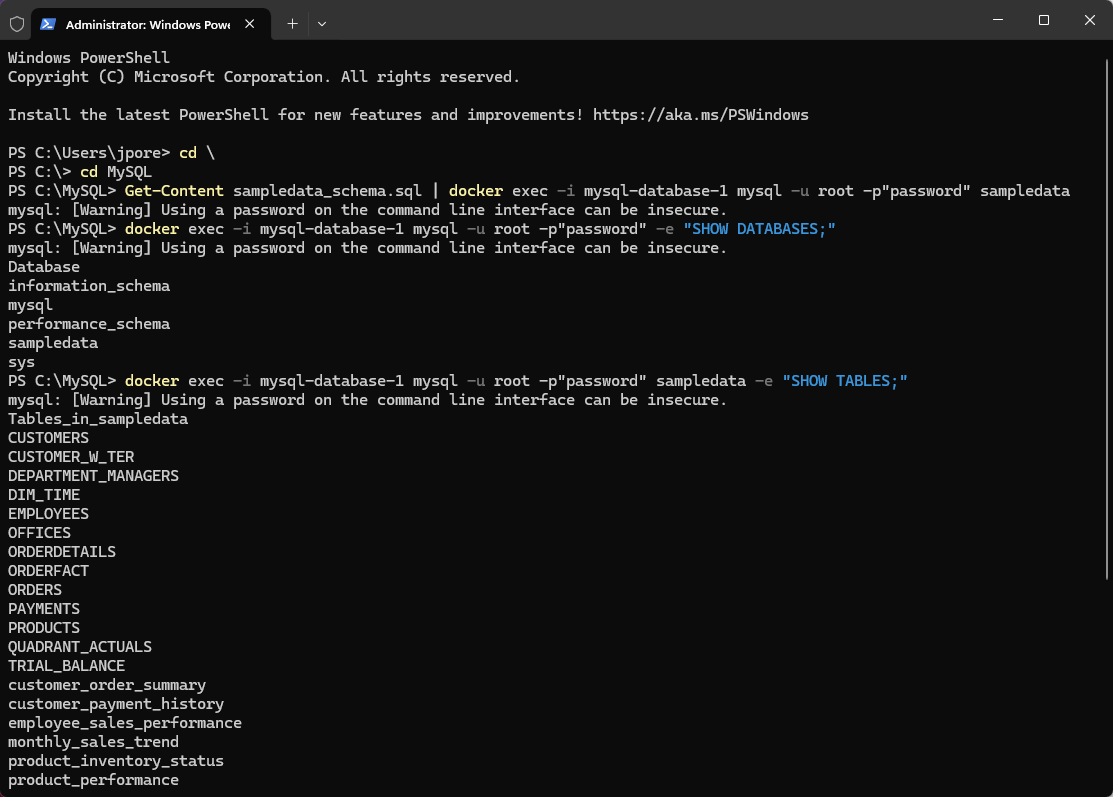
You can check the sampledata database & tables with the following commands.
Show databases:
Show tables:
Show table columns:

sampledata_data.sql
This script populates the database with sample data to demonstrate the functionality of the schema.
Reference Data
Office locations across different regions
Employee hierarchy with job titles
Product catalog organized by product lines
Transactional Data
Customer records with contact information
Order history with dates and status
Order details with quantities and prices
Payment records
Data Characteristics
Realistic business scenarios with varied order statuses
Comprehensive product catalog with descriptions and pricing
Hierarchical employee structure with reporting relationships
Time-based data spanning multiple years for trend analysis
Financial data suitable for budgeting and variance analysis
Notable Features
Data follows referential integrity constraints
Proper handling of NULL values where appropriate
Realistic pricing and quantity values
Generated columns (like VARIANCE) are excluded from direct inserts
Orders are sequenced to satisfy foreign key constraints
Execute the following command to load the data into the sampledata tables.
You can use the following commands to check that the data has loaded.
To count the number of rows in a specific table:
To view the first few rows from a table:
To check counts for all tables:
To get a summary of tables and their statuses:

DBeaver
Your going to need a database management tool. DBeaver Community is a free, open-source database management tool for personal projects.
Go to the official DBeaver download page
Navigate to Downloads & double-click on:
dbeaver-ce-25.2.5-x86_64-setup.exeFollow the installation instructions.
Follow the on-screen instructions, clicking "Next" and agreeing to the license agreement to proceed.
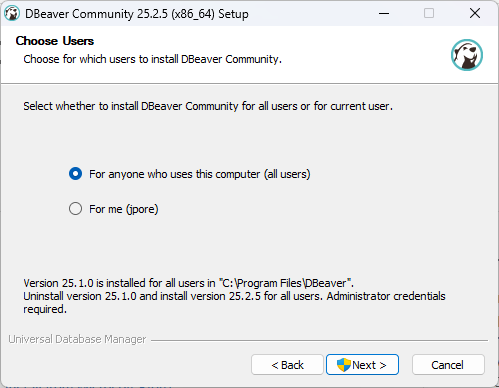
Choose your desired installation options (e.g., for all users or the current user).

Complete the installation process.
MySQL Database
If you have completed the previous 3 requirements, then you should have a MySQL Docker container, exposed on port:3306 with sampledata databse.
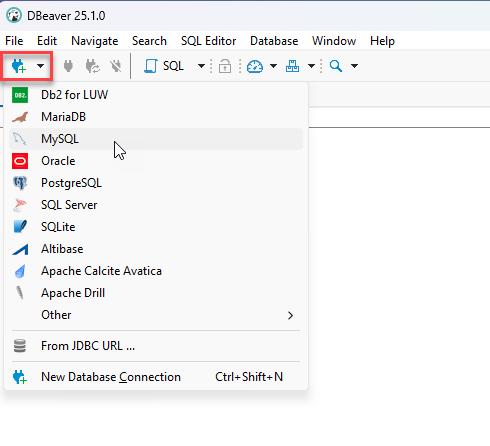
Launch DBeaver and Select: MySQL.

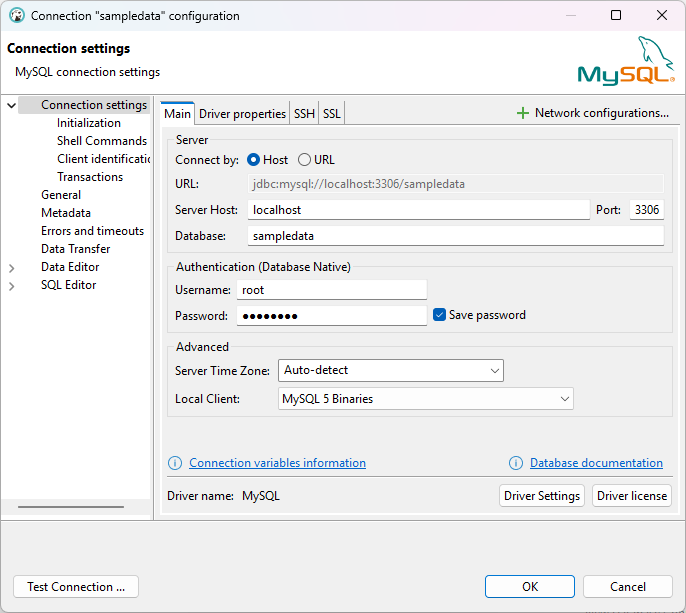
Configure the connection with the following properties:
Username: root or pentaho_user
Password: password

You may need to download the supported version of the database driver.
Also enable: allowPublicKeyRetrieval

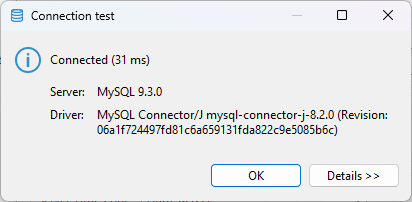
Test the connection.

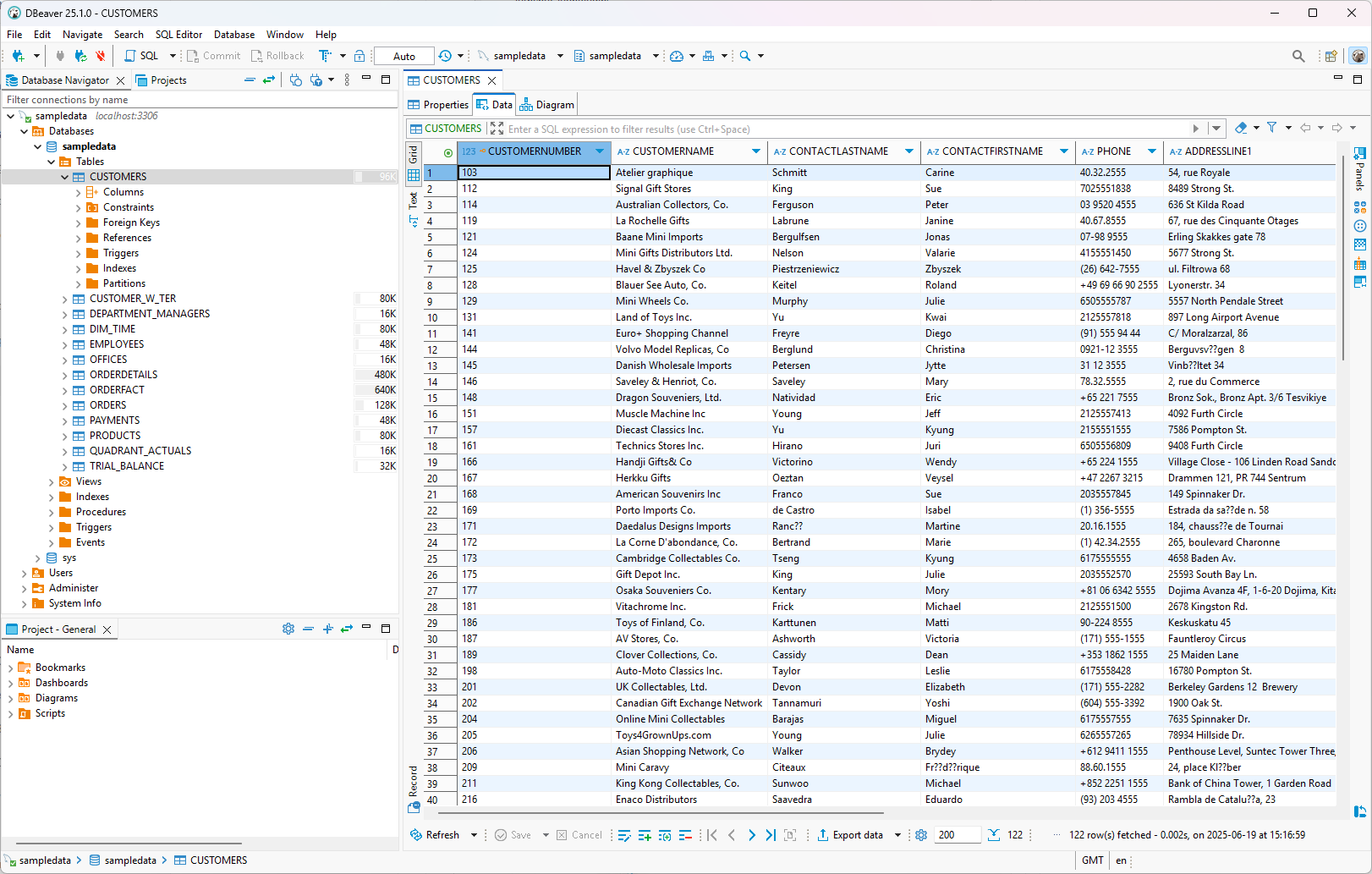
Expand: databases > sampledata > Tables

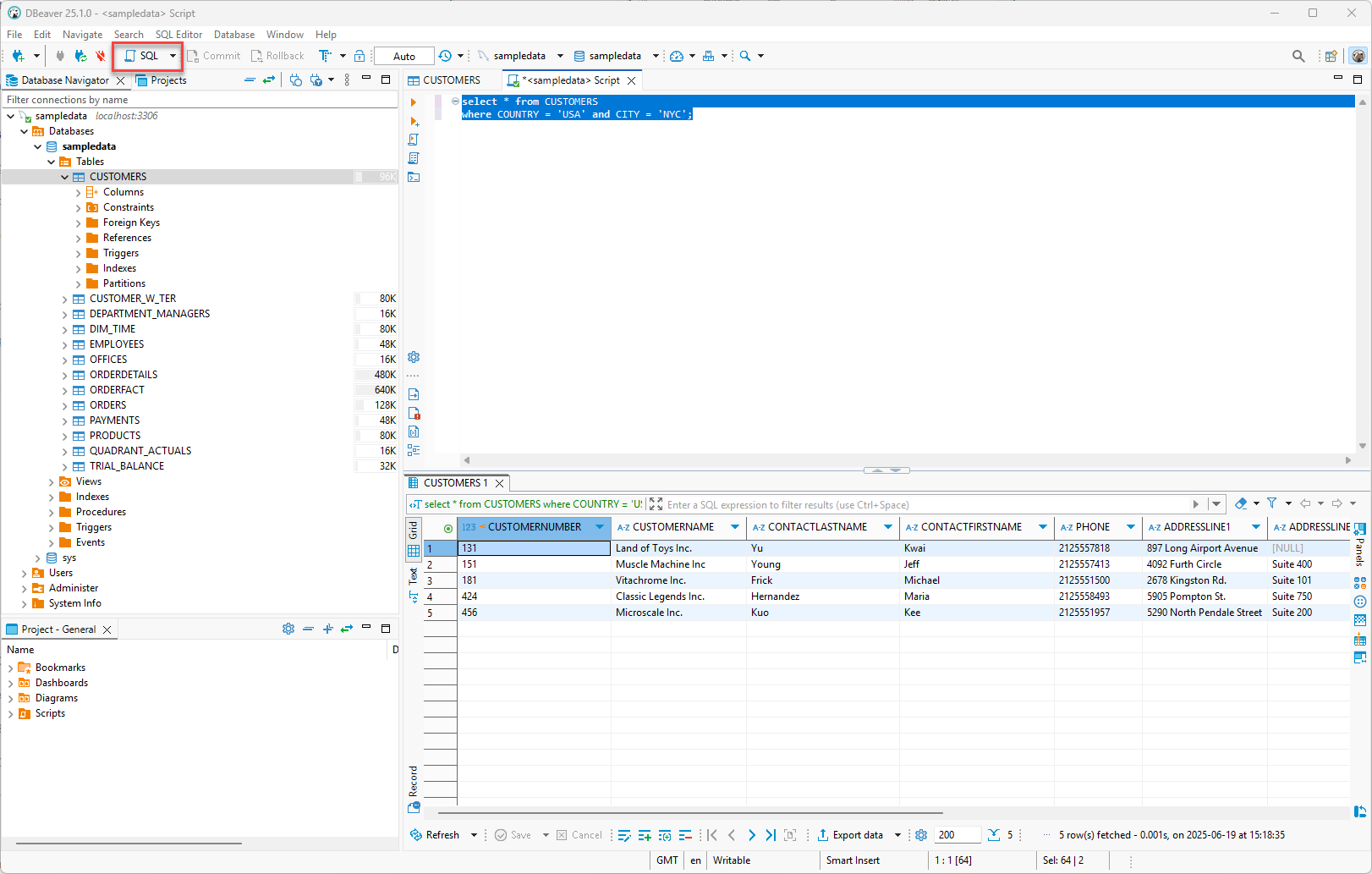
Open a SQL window and run a test query.

Last updated
Was this helpful?