> For the complete documentation index, see [llms.txt](https://academy.pentaho.com/llms.txt). Markdown versions of documentation pages are available by appending `.md` to page URLs; this page is available as [Markdown](https://academy.pentaho.com/pentaho-data-integration/use-cases/streaming-data/mqtt/mosquitto.md).
# EMQX
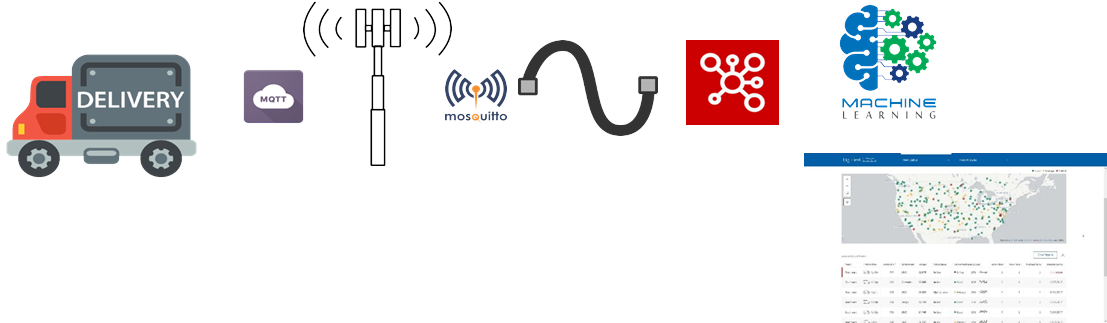
Use Case: Predictive maintenance
{% hint style="success" %}
#### Logistics use case (predictive maintenance)
You want near-real-time telemetry from delivery trucks.
Each truck publishes sensor telemetry to an MQTT topic over GSM.
* **EMQX** is the MQTT broker.
* **Pentaho Data Integration (PDI)** subscribes and processes messages.
You will:
* publish telemetry into EMQX (producer transformation)
* consume telemetry in PDI (consumer + child transformation)
* write minor and major alerts to output files
{% endhint %}
Logistics
{% hint style="info" %}
**Before you begin**
Make sure EMQX is running and reachable:
* **MQTT broker (TCP):** `localhost:1883`
* **EMQX Dashboard (web):** `http://localhost:18083`
Default dashboard credentials are often:
* **Username:** `admin`
* **Password:** `Password123`
If you need to set it up first, see [EMQX setup](/pentaho-data-integration/setup/use-cases/streaming/mosquitto.md).
Make sure the lab files exist:
* `~/Streaming/emqx/solution/tr_mqtt_producer.ktr`
* `~/Streaming/emqx/solution/tr_mqtt_consumer.ktr`
* `~/Streaming/emqx/solution/tr_process_sensor_data.ktr`
{% endhint %}
{% embed url="" %}
{% stepper %}
{% step %}
**Start Pentaho Data Integration**
Launch Data Integration:
{% tabs %}
{% tab title="macOS / Linux" %}
```bash
cd
cd ~/Pentaho/design-tools/data-integration
./spoon.sh
```
{% endtab %}
{% tab title="Windows" %}
```powershell
cd \
cd Pentaho/design-tools/data-integration
.\spoon.bat
```
{% endtab %}
{% endtabs %}
{% endstep %}
{% step %}
**Publish telemetry to EMQX (MQTT Producer)**
Open:
`~/Streaming/emqx/solution/tr_mqtt_producer.ktr`
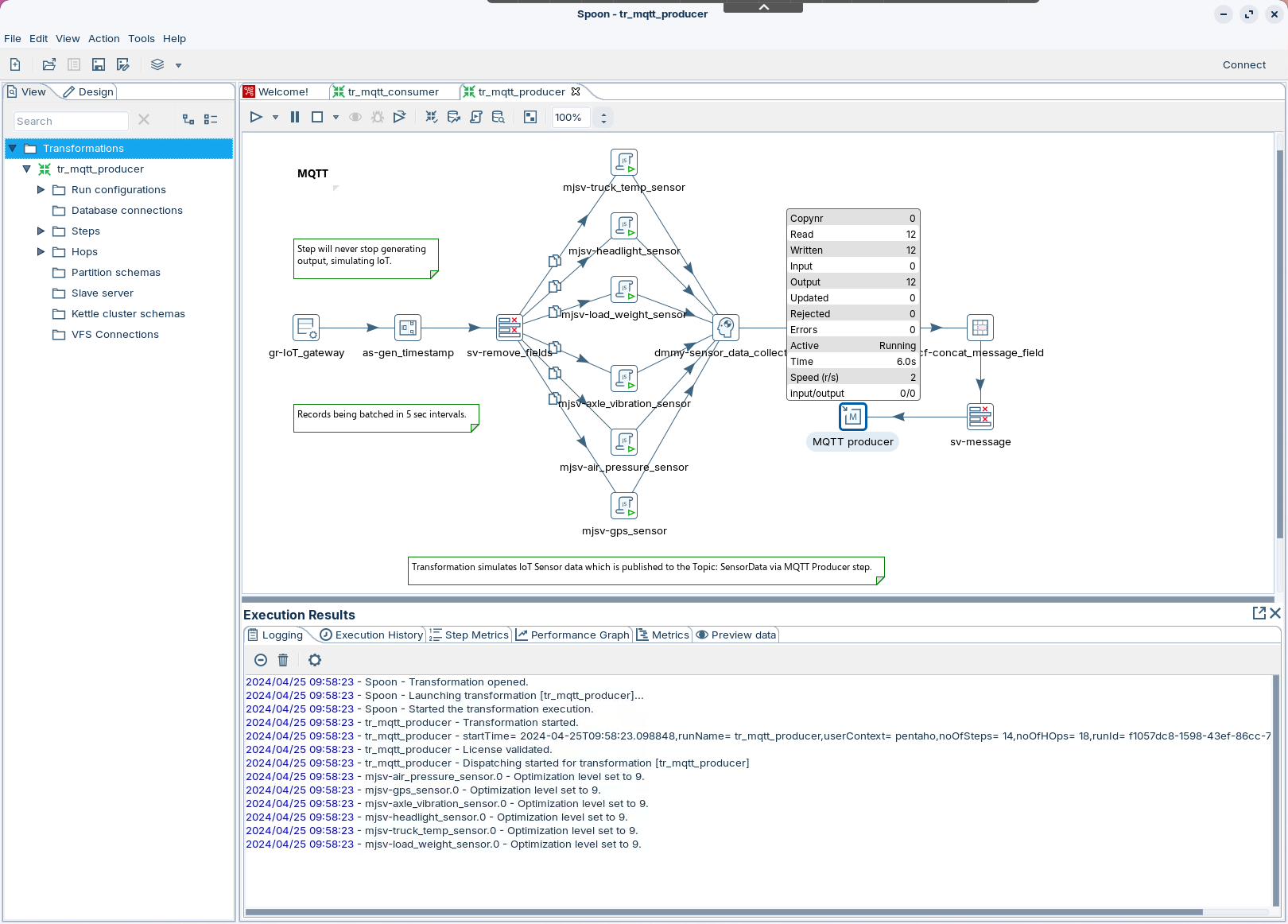
MQTT Producer
This transformation:
* generates data for `vehicle_id = 111` every 5 seconds
* adds a timestamp
* builds a `message` payload
* publishes the payload to EMQX using **MQTT Producer**
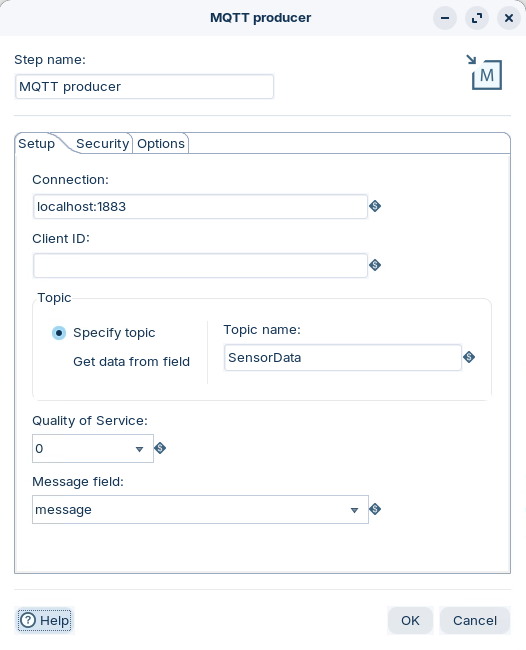
Double-click **MQTT Producer** and confirm these settings:
* **Connection:** points to your broker (for example `tcp://localhost:1883`)
* **Client ID:** unique on the broker
* **Topic:** note the value. You will reuse it in the consumer.
* **QoS:** choose based on delivery requirements
* **Message field:** `message`
MQTT Producer
Run the transformation.
Validate in EMQX Dashboard:
1. Open `http://localhost:18083`.
2. Go to **Clients**. Confirm the producer client is connected.
3. Go to **Topics**. Confirm message rate on your topic.
Reference: QoS and session settings
**QoS**
* **0 (at most once):** lowest latency. Messages can be lost.
* **1 (at least once):** can deliver duplicates.
* **2 (exactly once):** highest overhead.
**Clean session**
* **True:** broker does not persist state for this client.
* **False:** broker persists subscriptions and queued QoS 1/2 messages.
{% endstep %}
{% step %}
**Consume and process telemetry (MQTT Consumer)**
Open:
`~/Streaming/emqx/solution/tr_mqtt_consumer.ktr`
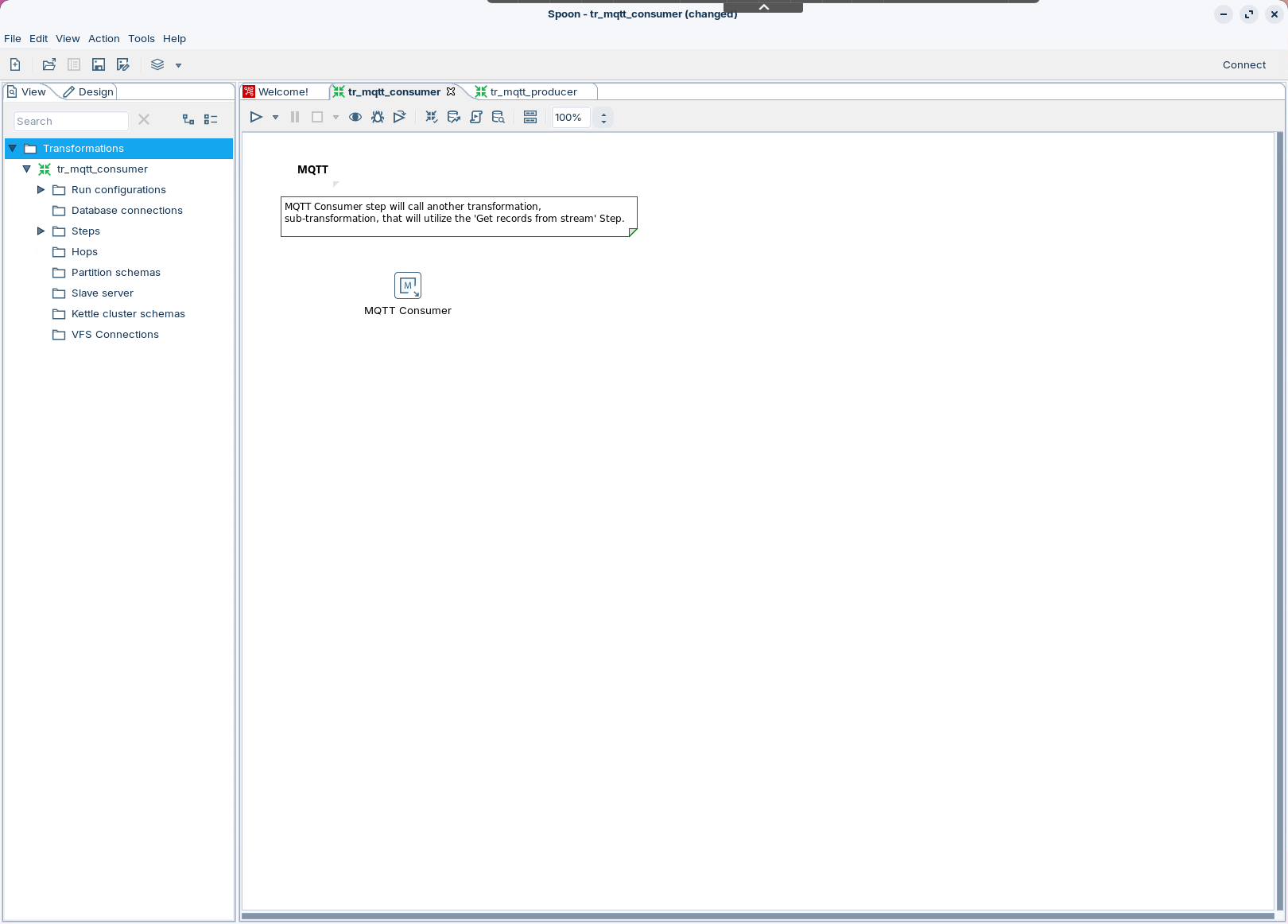
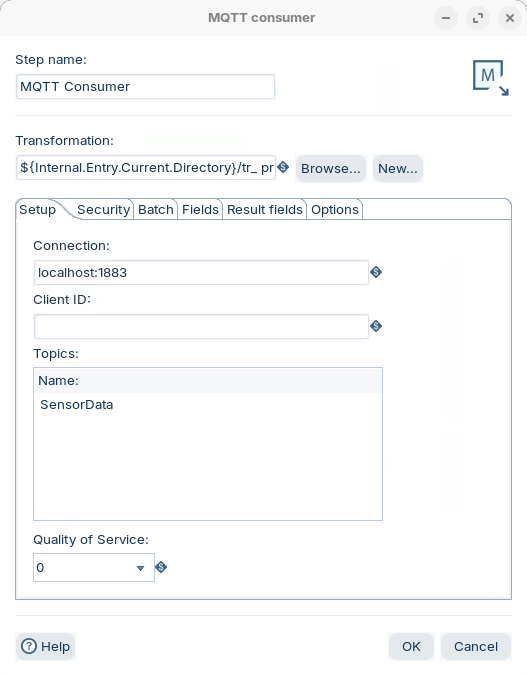
MQTT Consumer
Double-click **MQTT Consumer** and confirm:
* **Topic** matches the producer topic.
* **Child transformation** points to:
```
${Internal.Entry.Current.Directory}/tr_process_sensor_data.ktr
```
* **Batch** has at least one trigger set:
* **Duration (ms)** > `0`, or
* **Number of records** > `0`
MQTT Consumer
Run the transformation.
Validate in EMQX Dashboard:
* Go to **Clients**. Confirm the consumer client is connected.
* Go to **Subscriptions**. Confirm the client is subscribed to the topic.
Reference: batch and backpressure
PDI runs the child transformation when either threshold is met:
* **Duration (ms):** time window for collecting messages
* **Number of records:** message count for collecting messages
Backpressure controls:
* **Message prefetch limit:** max messages PDI queues in memory
* **Maximum concurrent batches:** increases throughput and resource use
{% endstep %}
{% step %}
**Inspect results**
Open the child transformation:
`~/Streaming/emqx/solution/tr_process_sensor_data.ktr`
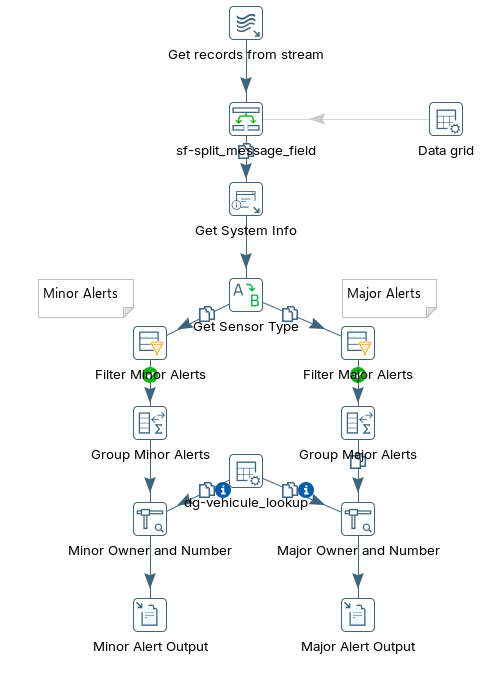
Process sensor data
This transformation:
* pulls `message` records from the stream
* adds a timestamp
* resolves `sensor_type`
* filters minor and major alerts
* aggregates alerts for reporting
* appends results to output files
Open the output files and confirm new rows append:
* `~/Streaming/emqx/output/major_alert.txt`
* `~/Streaming/emqx/output/minor_alert.txt`
{% endstep %}
{% endstepper %}
major_alert
minor_alert
{% hint style="warning" %}
If you see no output, check these first:
* producer and consumer use the same **topic**
* EMQX shows both clients as **connected**
* the consumer batch has **Duration (ms)** or **Number of records** set to `> 0`
* the child transformation starts with **Get records from stream**
{% endhint %}
---
# Agent Instructions
This documentation is published with GitBook. GitBook is the documentation platform designed so that both humans and AI agents can read, navigate, and reason over technical content effectively. Learn more at gitbook.com.
## Querying This Documentation
If you need additional information that is not directly available in this page, you can query the documentation dynamically by asking a question.
Perform an HTTP GET request on the current page URL with the `ask` query parameter, and the optional `goal` query parameter:
```
GET https://academy.pentaho.com/pentaho-data-integration/use-cases/streaming-data/mqtt/mosquitto.md?ask=&goal=
```
`ask` is the immediate question: it should be specific, self-contained, and written in natural language.
`goal` is optional and describes the broader end goal you are ultimately trying to accomplish on behalf of the user. GitBook uses it to tailor the answer towards what is most useful for that goal.
The response will contain a direct answer to the question and relevant excerpts and sources from the documentation.
Use this mechanism when the answer is not explicitly present in the current page, you need clarification or additional context, or you want to retrieve related documentation sections.